
SpringMVC | SpringMVC请求处理
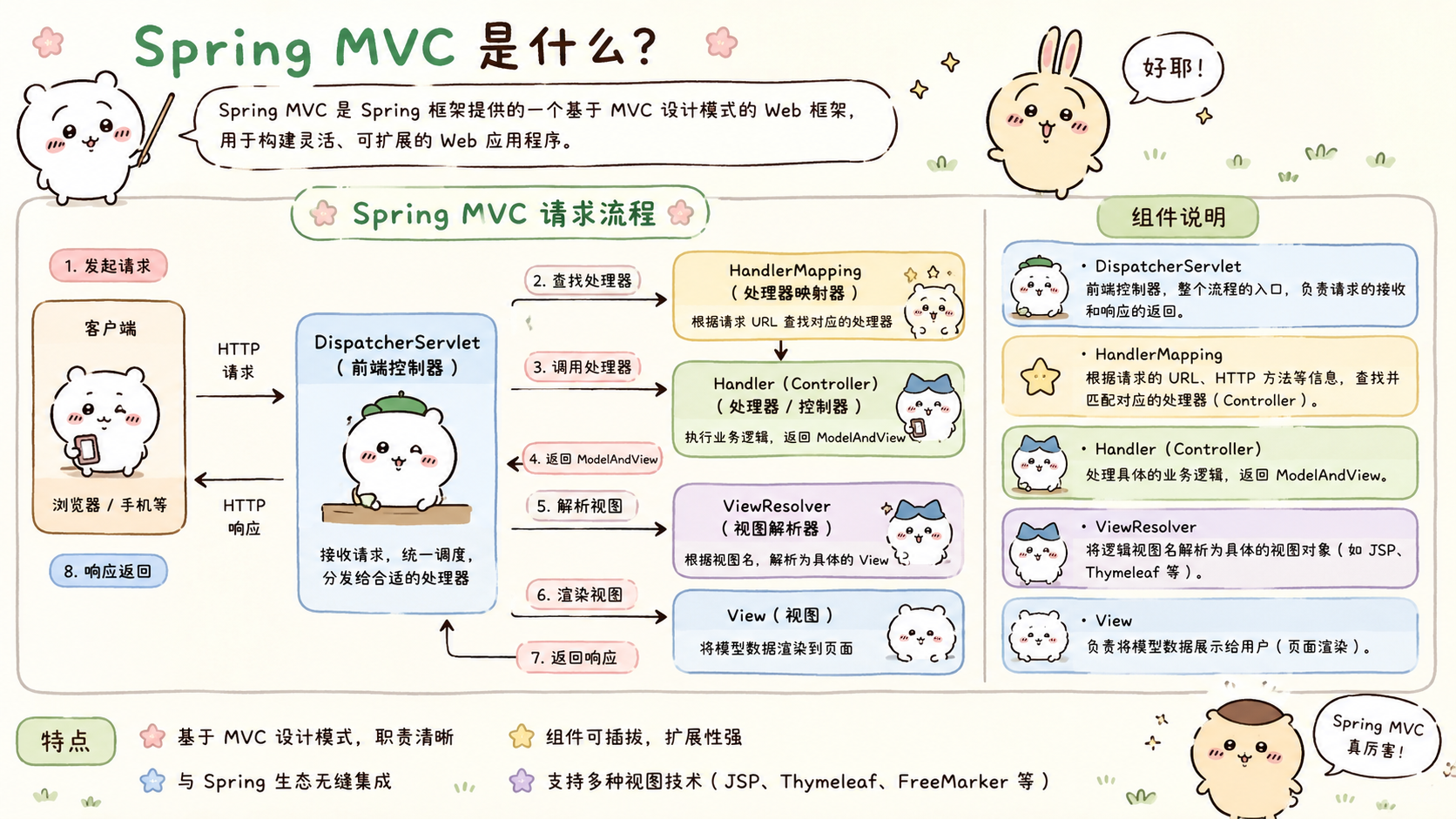
SpringMVC 简介
提示
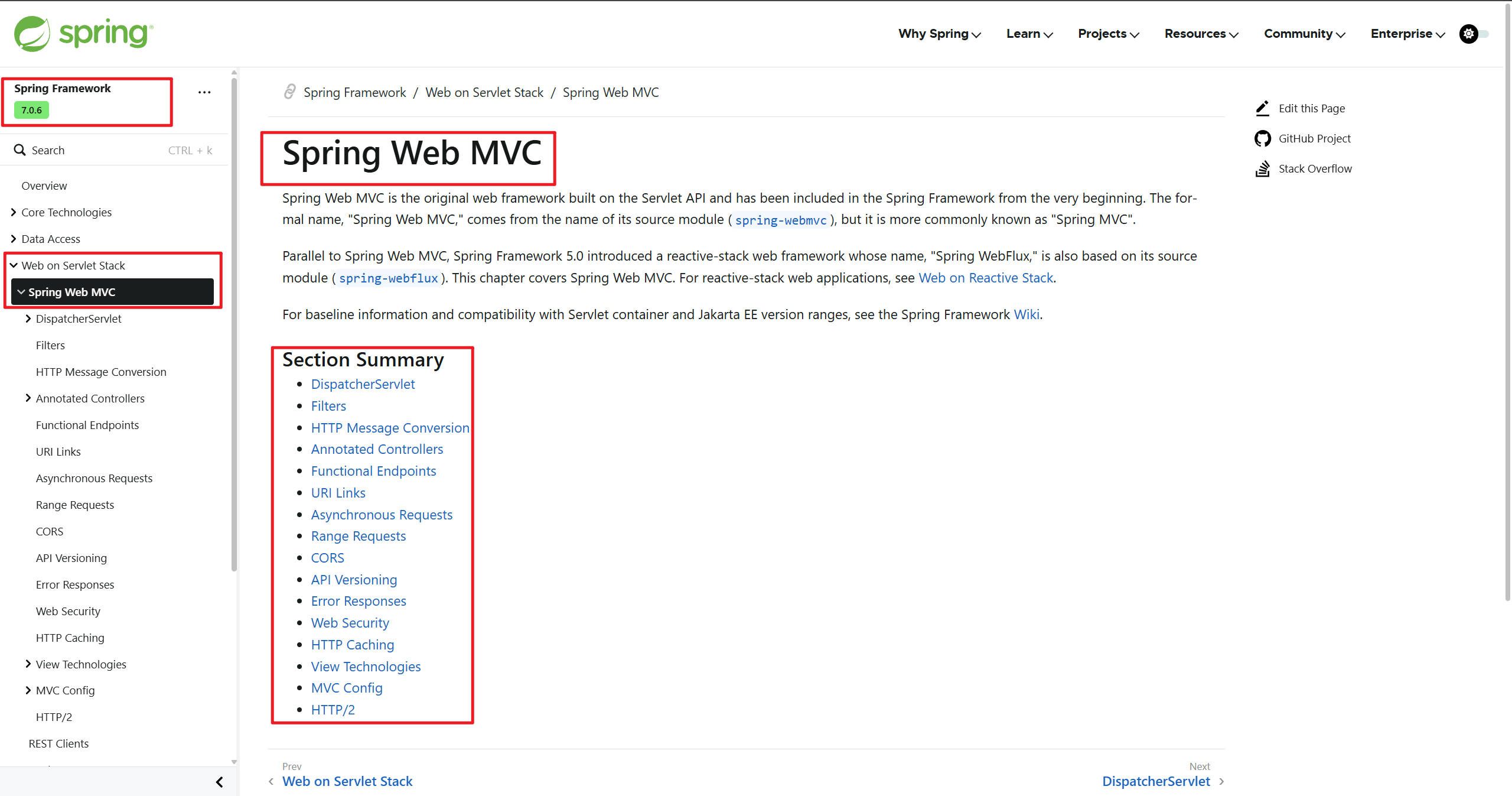
官网:https://docs.spring.io/spring-framework/reference/web/webmvc.html
SpringMVC 是Spring 的 web 模块,用来开发Web应用
SprinMVC 应用最终作为B/S(浏览器)、C/S(客户端)模式下的 Server 端
Web应用的核心就是处理HTTP请求响应
两种开发模式
提示
- 开发模式
- 前后分离开发
- 前后不分离开发
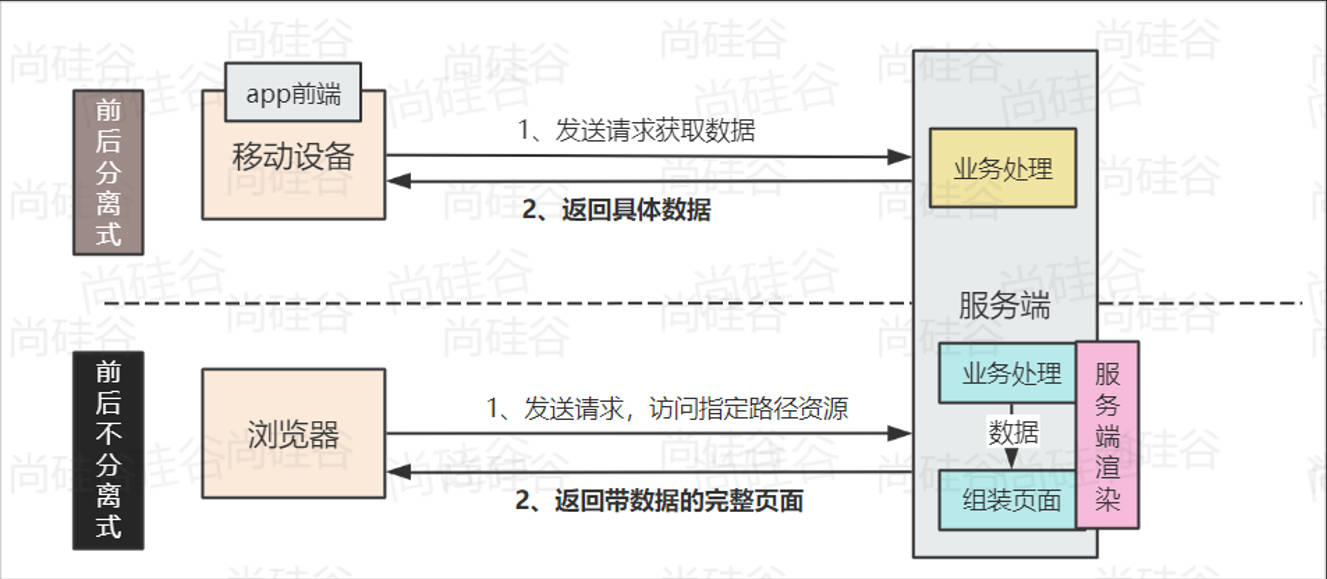
前后分离开发
- @ResponseBody
- @RestController
服务端渲染
- 转发
- 重定向
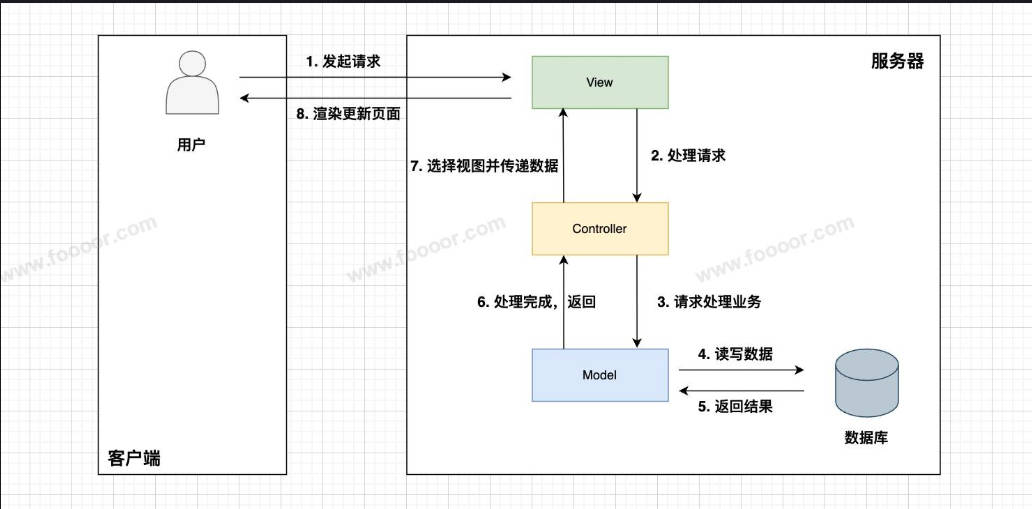
MVC 设计模式是一种经典的软件架构模式,包含三个部分:
- Model(模型):处理具体的业务逻辑与数据;
- View(视图):负责展示数据;
- Controller(控制器):接收用户请求、协调 Model 和 View。
Hello World
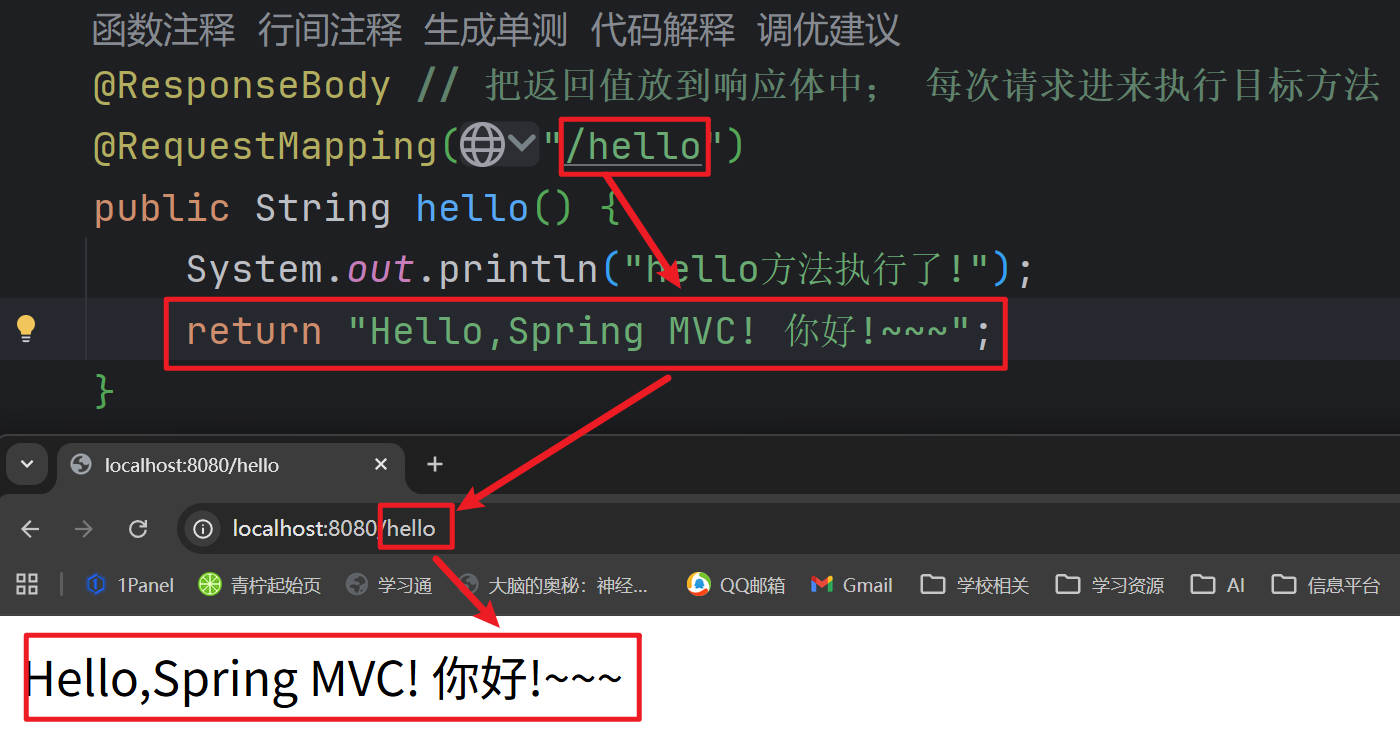
场景:浏览器发送 /hello 请求,服务端响应 “Hello,Spring MVC! 你好!~~~”
- HelloController.java
package fun.xingji.springmvc.controller;

import org.springframework.stereotype.Controller;
import org.springframework.web.bind.annotation.RequestMapping;
import org.springframework.web.bind.annotation.ResponseBody;

@Controller // 告诉Spring这是一个控制器(处理请求的组件)
public class HelloController {

    @ResponseBody // 把返回值放到响应体中; 每次请求进来执行目标方法
    @RequestMapping("/hello")
    public String hello() {
        return "Hello,Spring MVC! 你好!~~~";
    }
}- Springmvc01HelloworldApplication.java
package fun.xingji.springmvc;

import org.springframework.boot.SpringApplication;
import org.springframework.boot.autoconfigure.SpringBootApplication;

/**
 * 效果:其实是 SpringBoot 做的。
 * 1、tomcat不用整合
 * 2、servlet开发变得简单,不用实现任何接口
 * 3、自动解决了乱码等问题
 */
@SpringBootApplication
public class Springmvc01HelloworldApplication {

    public static void main(String[] args) {
        SpringApplication.run(Springmvc01HelloworldApplication.class, args);
    }

}
路径映射 - @RequestMapping
路径映射
提示
路径规则:https://docs.spring.io/spring-framework/docs/6.1.11/javadoc-api/org/springframework/web/util/pattern/PathPattern.html
注
精确路径必须全局唯一路径位置通配符: 多个都能匹配上,那就精确优先
*: 匹配任意多个字符(0~N); 不能匹配多个路径

**: 匹配任意多层路径

?: 匹配任意单个字符(1)
精确程度:
完全匹配 > ? > * > **
路径变量:@PathVariable
:::
- HelloController.java
package fun.xingji.springmvc.controller;

import org.springframework.stereotype.Controller;
import org.springframework.web.bind.annotation.RequestMapping;
import org.springframework.web.bind.annotation.ResponseBody;

@Controller // 告诉Spring这是一个控制器(处理请求的组件)
public class HelloController {

    /**
     *
     * 精确路径必须全局唯一
     * 路径位置通配符: 多个都能匹配上,那就精确优先
     *      *: 匹配任意多个字符(0~N); 不能匹配多个路径
     *      **: 匹配任意多层路径
     *      ?: 匹配任意单个字符(1)
     *   精确程度: 完全匹配 > ? > * > **
     *
     * @return
     */
    @ResponseBody // 把返回值放到响应体中; 每次请求进来执行目标方法
    @RequestMapping("/hello")
    public String hello() {
        System.out.println("hello方法执行了!");
        return "Hello,Spring MVC! 你好!~~~";
    }

    // ? 表示任意单个字符
    @ResponseBody // 把返回值放到响应体中; 每次请求进来执行目标方法
    @RequestMapping("/hell?")
    public String hello01() {
        System.out.println("hello01方法执行了!");
        return "hello01";
    }

    // * 表示任意多个字符,但不能匹配多个路径
    @ResponseBody
    @RequestMapping("/hell*")
    public String hello02() {
        System.out.println("hello02方法执行了!");
        return "hello02";
    }

    // ** 表示任意多层路径
    @ResponseBody
    @RequestMapping("/he/**")
    public String hello03() {
        System.out.println("hello03方法执行了!");
        return "hello03";
    }
}- 测试:
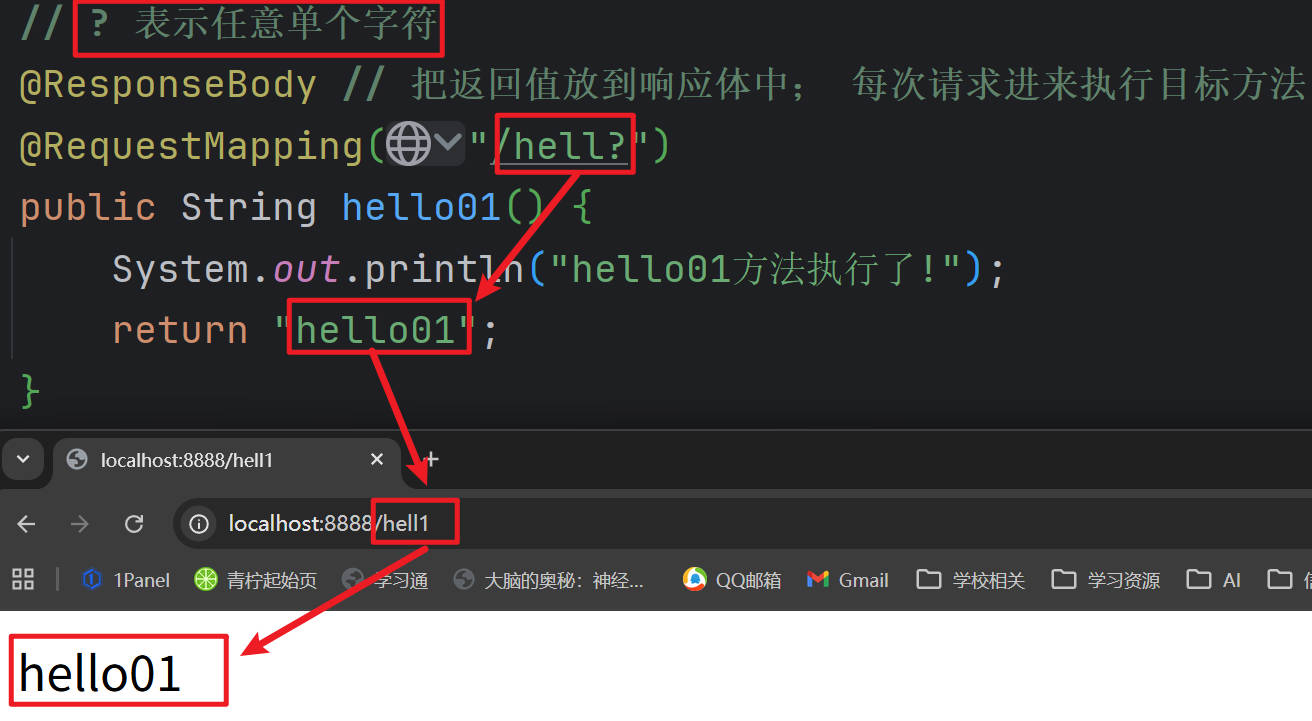
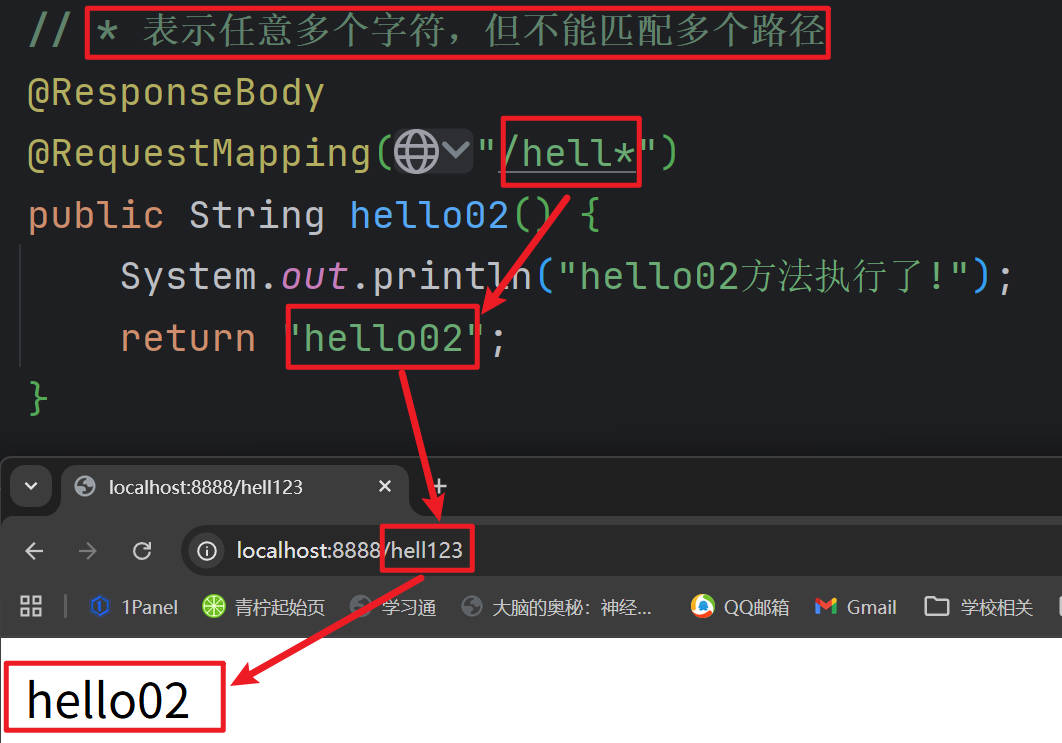
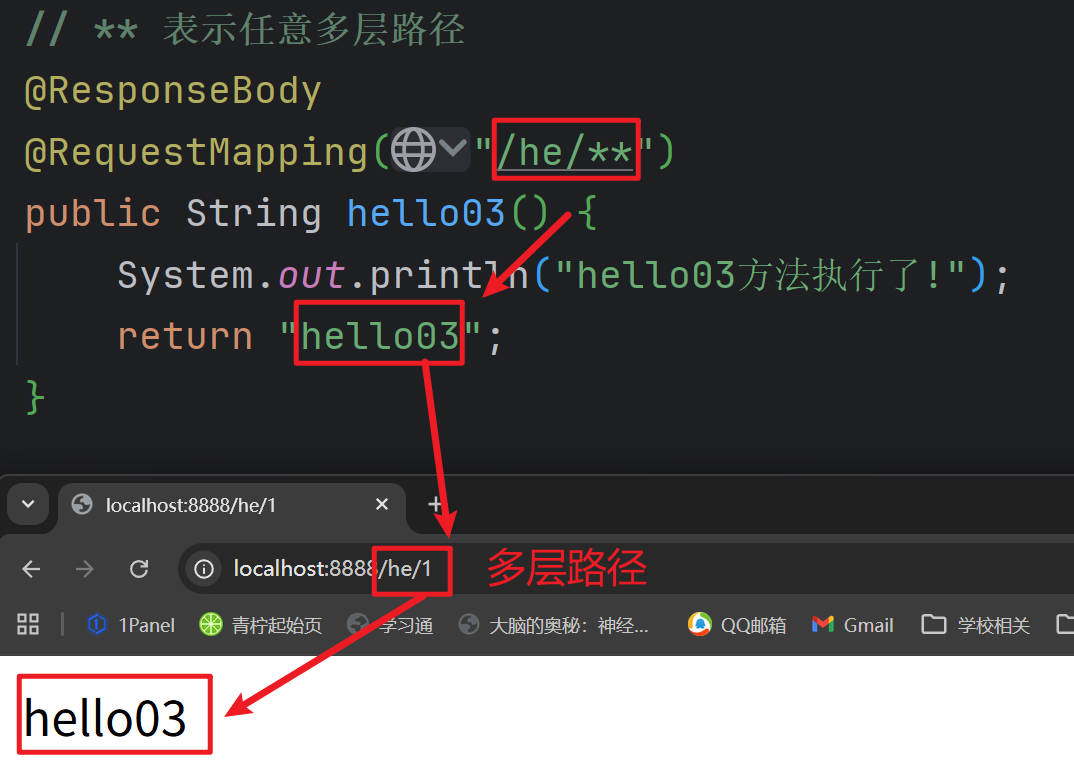
请求限定
提示
package org.springframework.web.bind.annotation;

import java.lang.annotation.Documented;
import java.lang.annotation.ElementType;
import java.lang.annotation.Retention;
import java.lang.annotation.RetentionPolicy;
import java.lang.annotation.Target;
import org.springframework.aot.hint.annotation.Reflective;
import org.springframework.core.annotation.AliasFor;

@Target({ElementType.TYPE, ElementType.METHOD})
@Retention(RetentionPolicy.RUNTIME)
@Documented
@Mapping
@Reflective({ControllerMappingReflectiveProcessor.class})
public @interface RequestMapping {
    String name() default "";

    @AliasFor("path")
    String[] value() default {};

    @AliasFor("value")
    String[] path() default {};

    // 请求方式:method
    RequestMethod[] method() default {};

    // 请求参数:params
    String[] params() default {};

    // 请求头:headers
    String[] headers() default {};

    // 请求内容类型:consumes
    String[] consumes() default {};

    // 响应内容类型:produces
    String[] produces() default {};
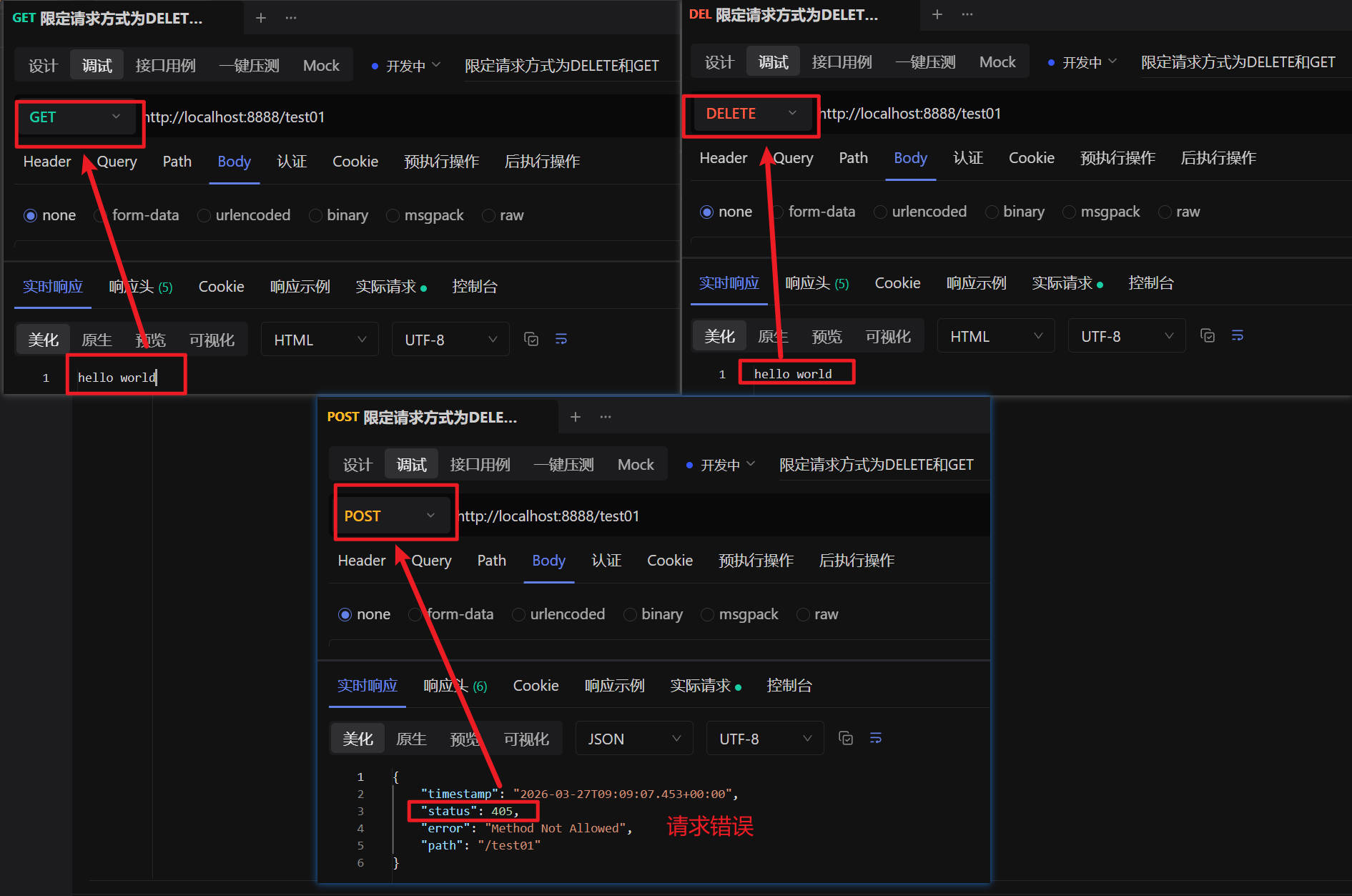
}- 请求方式:method
/**
     * 请求方式:
     *      GET, HEAD, POST, PUT, PATCH, DELETE, OPTIONS, TRACE
     * @return
     */
@RequestMapping(value = "/test01",method = {RequestMethod.DELETE,RequestMethod.GET}) // 限定请求方式为DELETE和GET
public String test01(){
       return "hello world";
}
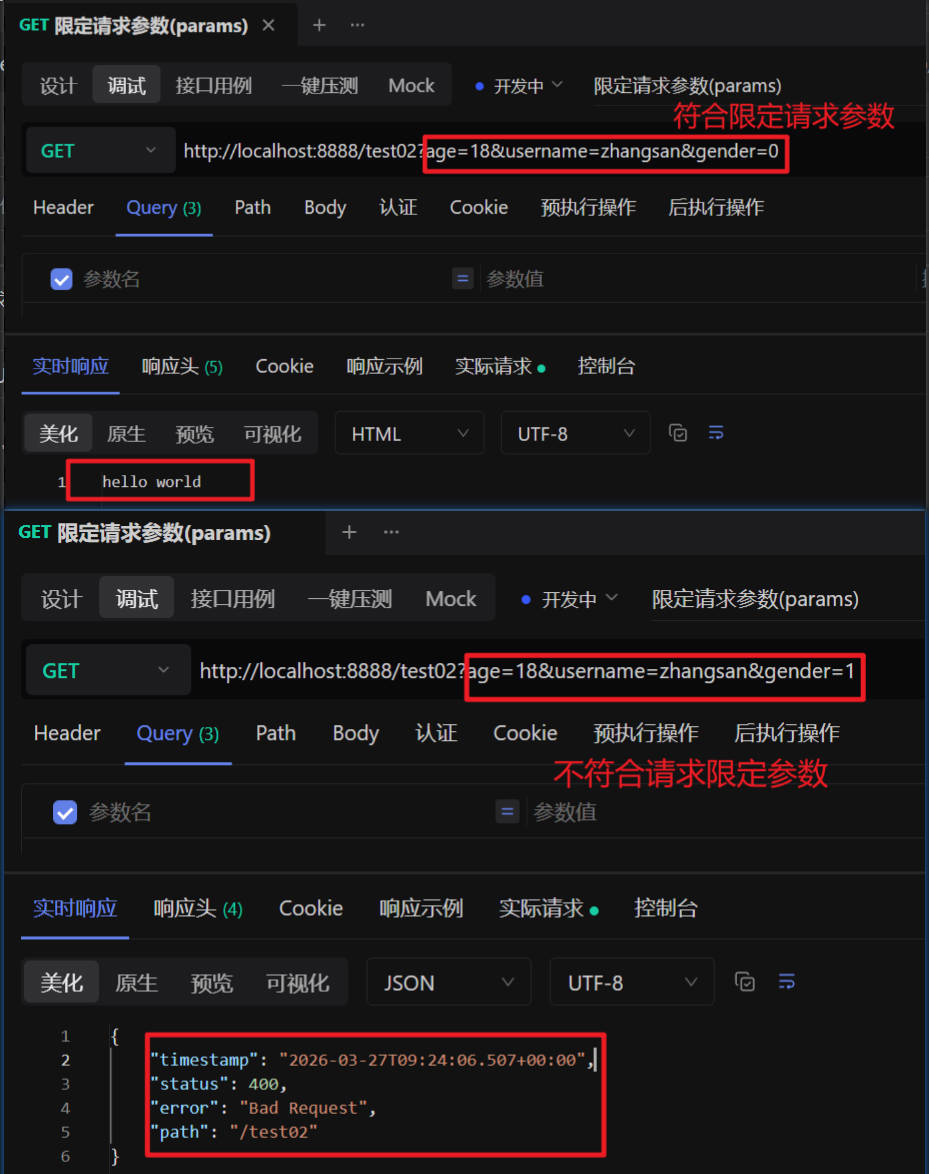
- 请求参数:params
/**
     * 请求参数:params = {"username","age"}
     * 1)、username:  表示请求必须包含username参数
     * 2)、age=18:   表示请求参数中必须包含age=18的参数
     * 3)、gender!=1:  表示请求参数中不能包含gender=1的参数
     * @return
     */
@RequestMapping(value = "/test02",params = {"age=18","username","gender!=1"})
public String test02(){
       return "hello world";
}
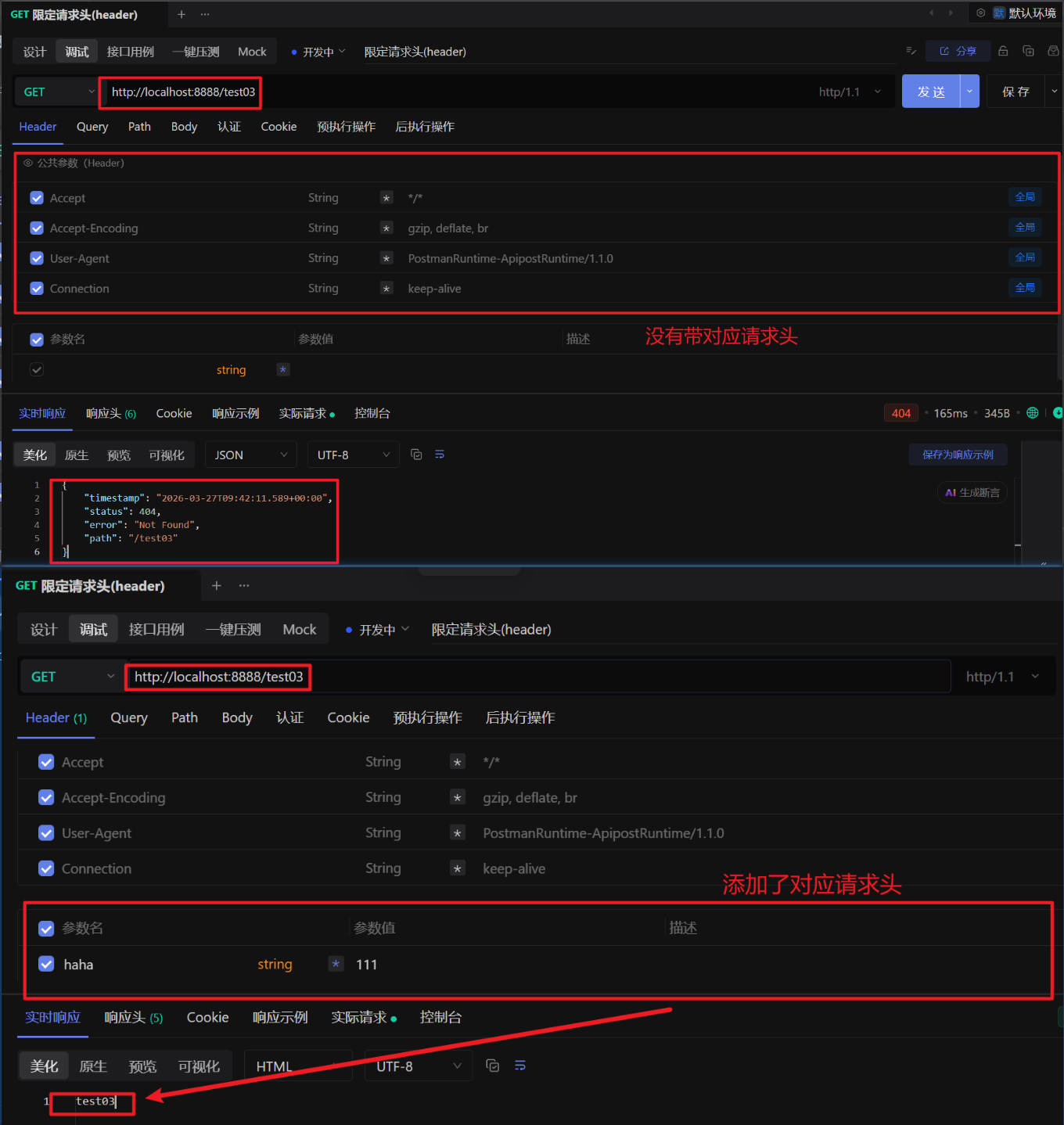
- 请求头:headers
/**
     * 请求头:headers = {"haha"}
     * 1)、haha:  表示请求中必须包含名为haha的请求头
     * 2)、hehe!=1:  表示请求头中 的 hehe 不能是1;(hehe=0,不带hehe)
     * @return
*/
@RequestMapping(value = "/test03",headers = {"haha"})
public String test03(){
       return "test03";
}
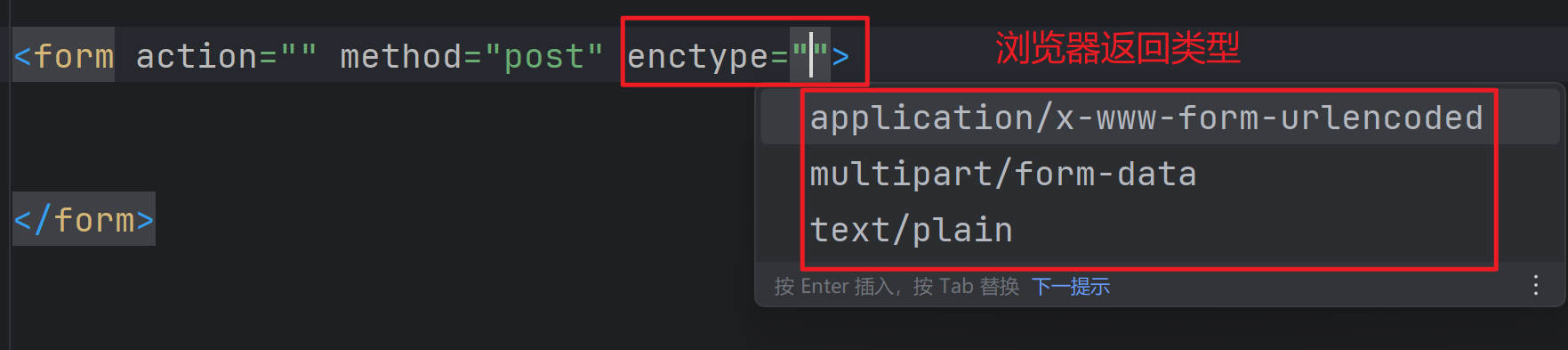
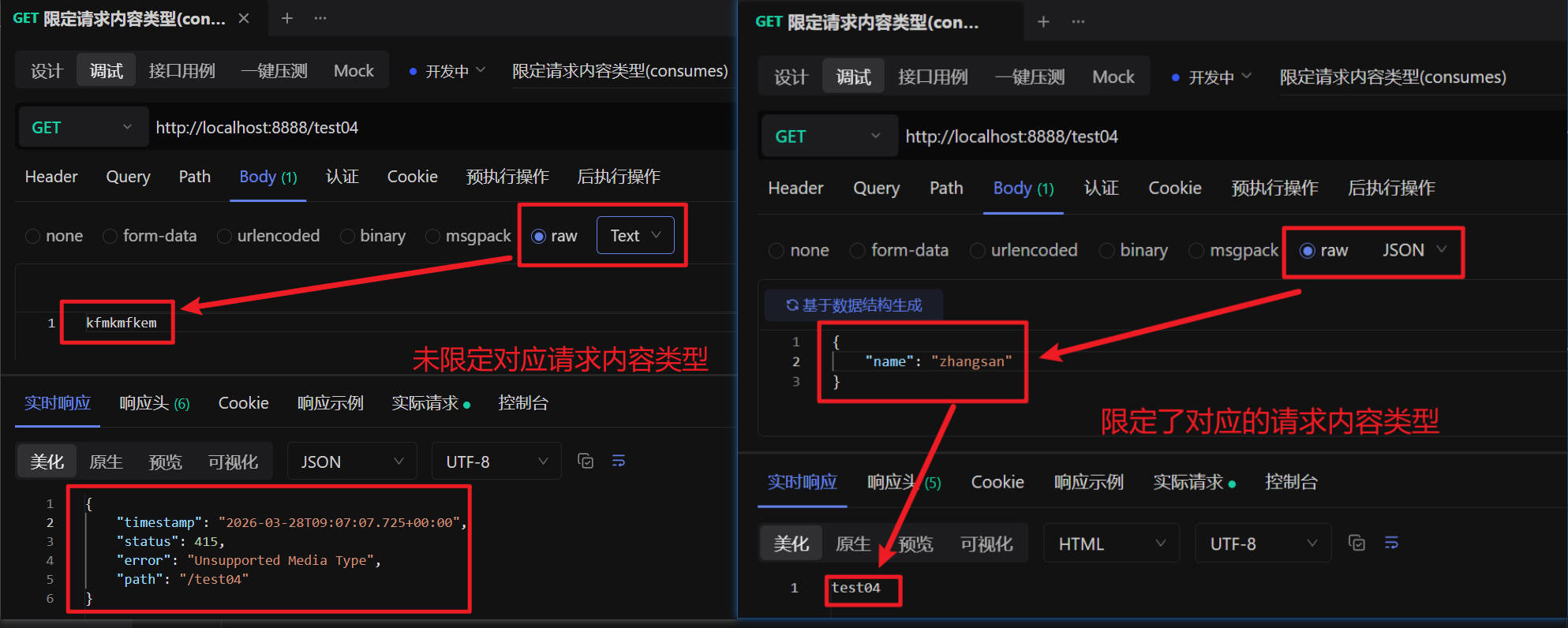
- 请求内容类型:consumes
/**
     * 请求内容类型:consumes = {"application/json"}; 消费什么数据;
     * Media Type:媒体类型
     * 1)、application/json:  表示浏览器必须携带 json 格式的数据。
     * @return
*/
@RequestMapping(value = "/test04",consumes = {"application/json"})
public String test04(){
       return "test04";
}
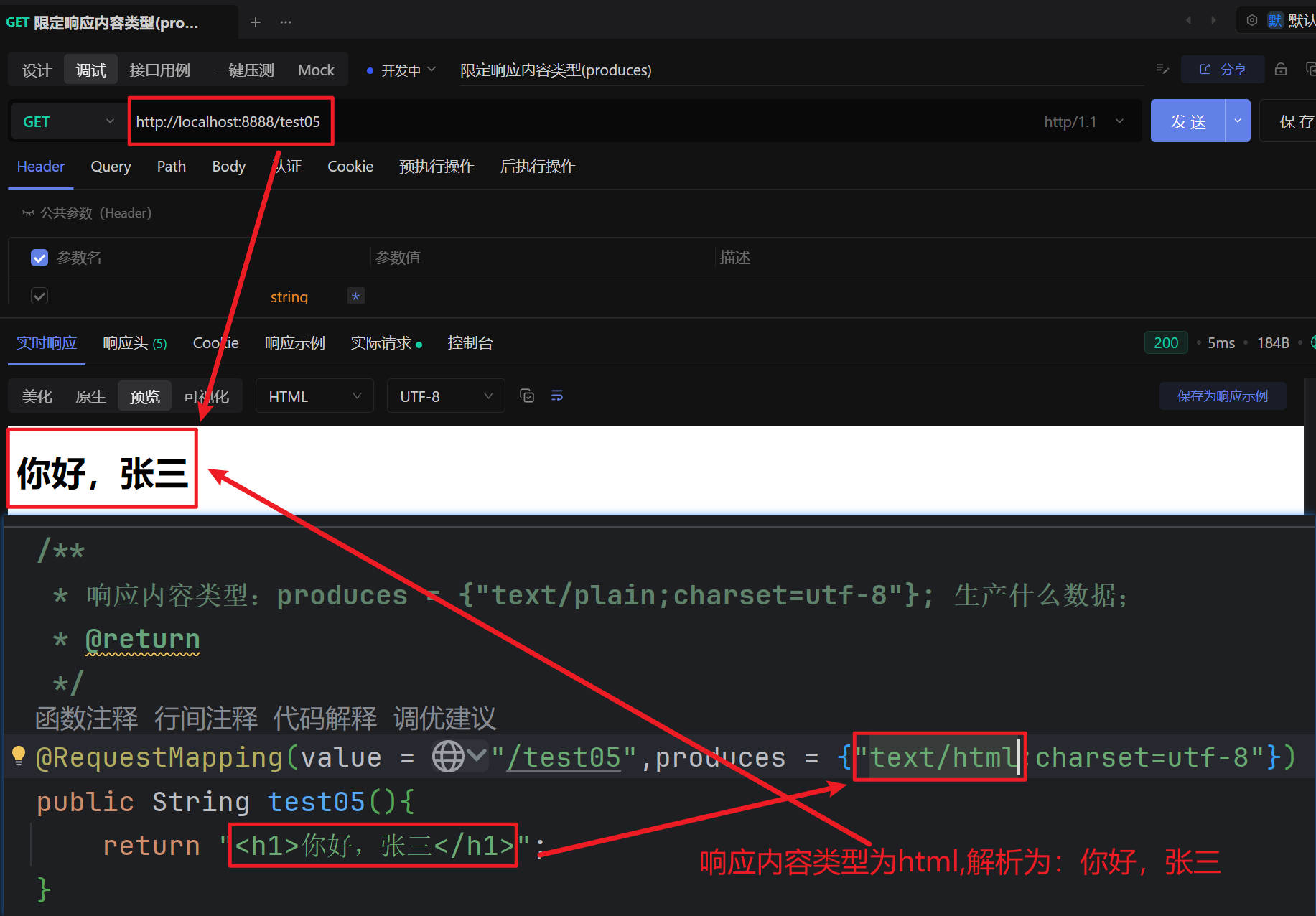
- 响应内容类型:produces
/**
     * 响应内容类型:produces = {"text/plain;charset=utf-8"}; 生产什么数据;
     * @return
*/
@RequestMapping(value = "/test05",produces = {"text/html;charset=utf-8"})
public String test05(){
       return "<h1>你好,张三</h1>";
}
HTTP&JSON
HTTP请求与响应
提示
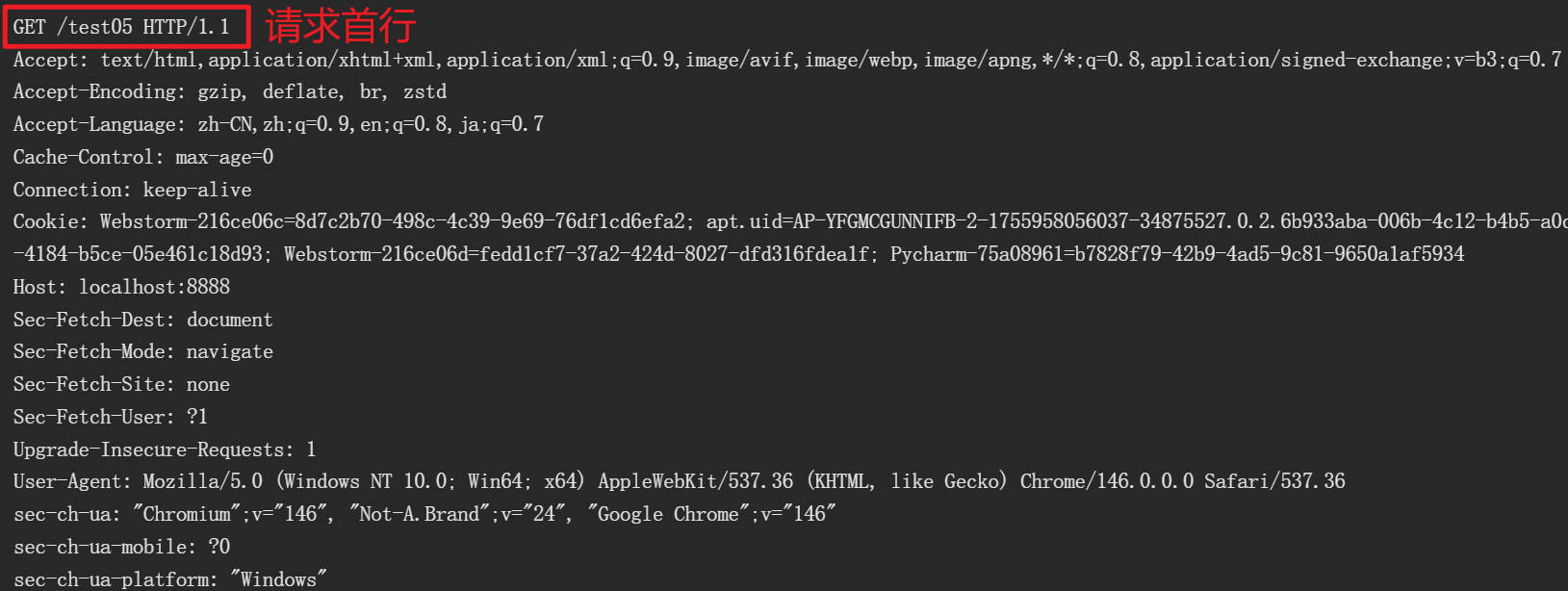
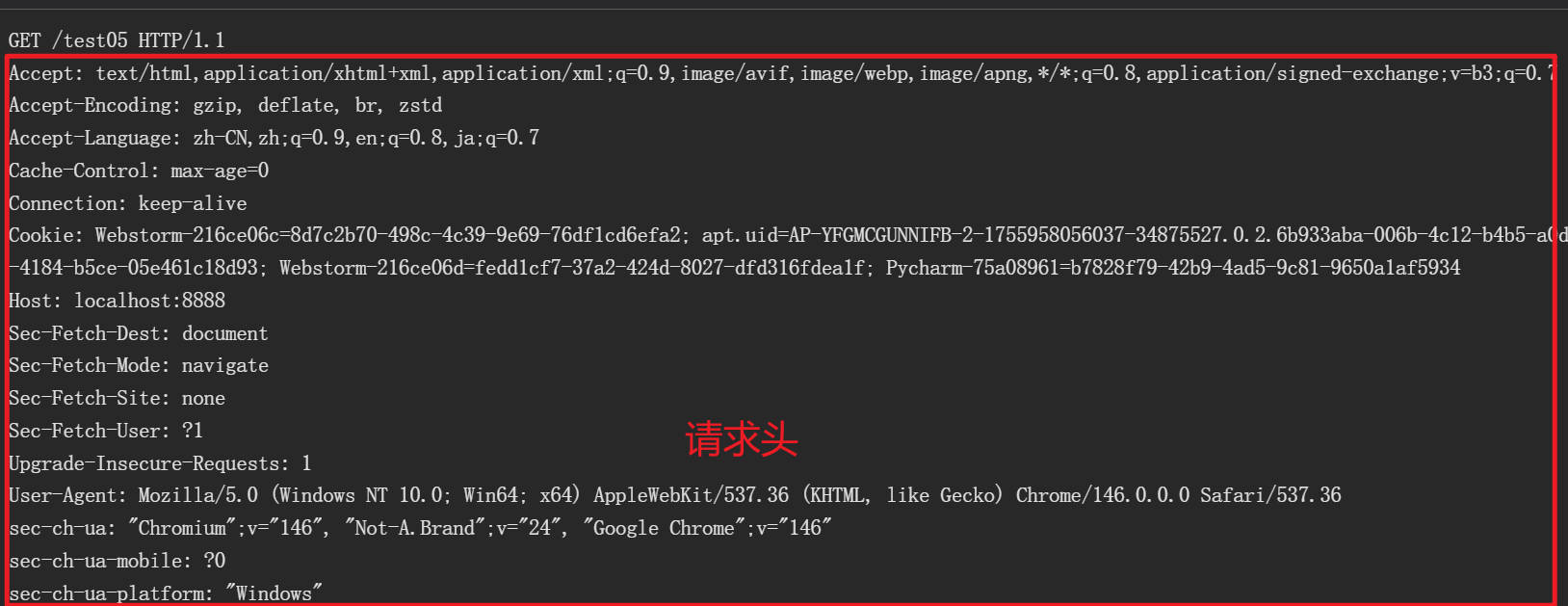
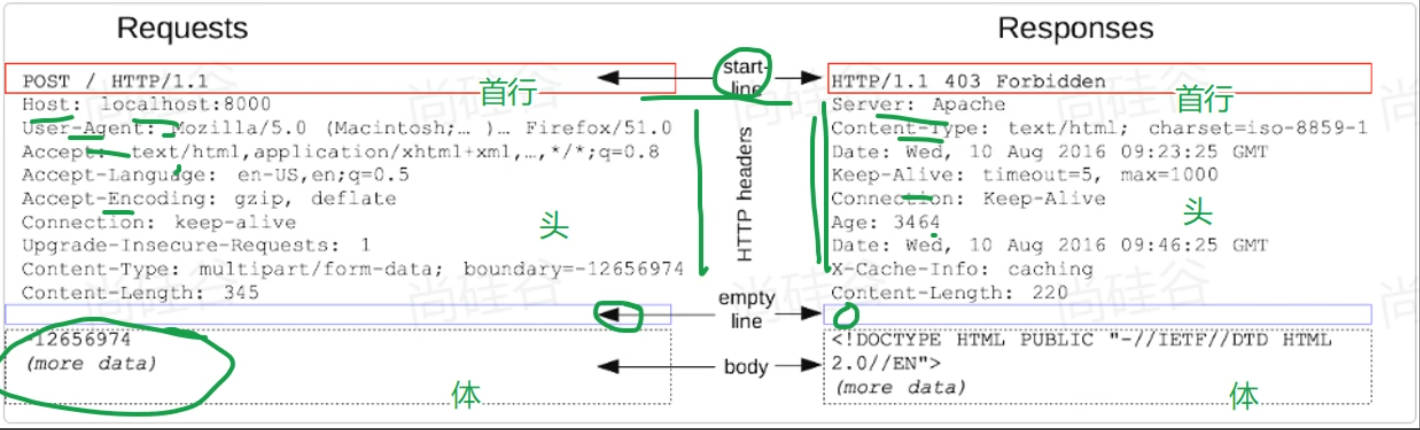
HTTP请求会带来各种数据
- 请求首行:(请求方式、请求路径、请求协议)
- 请求头:(k: v \n k: v)
- 请求体:(此次请求携带的其他数据)
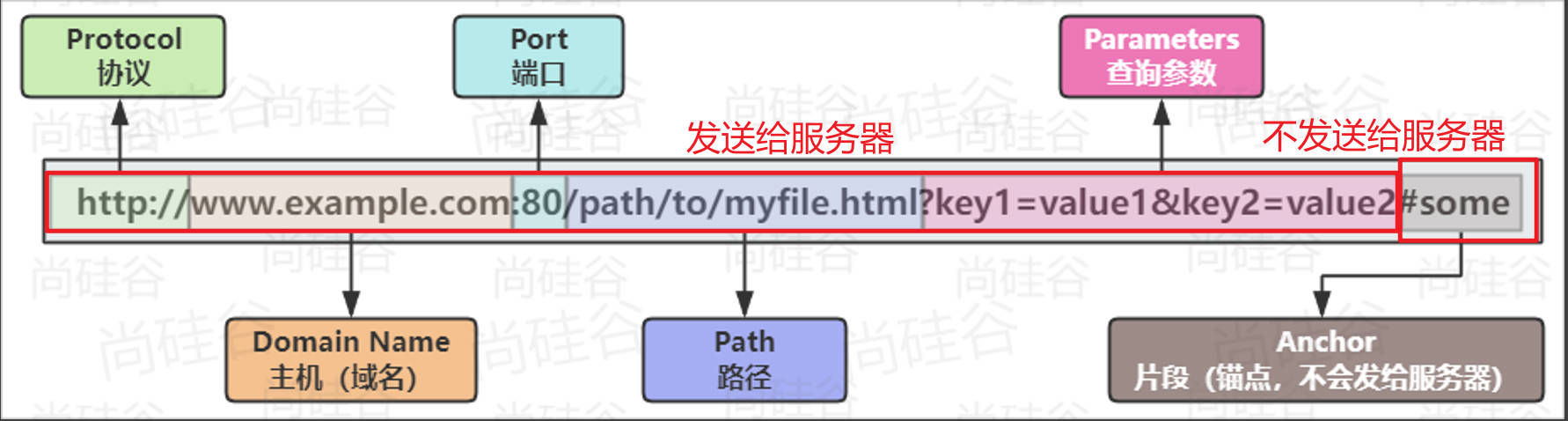
URL 携带大量数据,特别是GET请求,会把参数放在URL上
提示
请求头有很多重要信息,SpringMVC 可以快速获取到
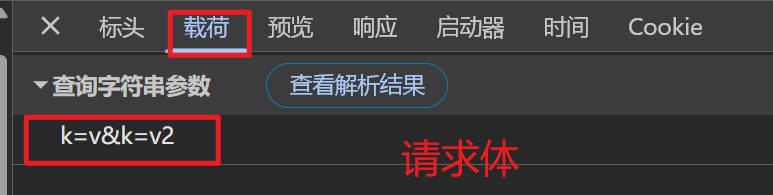
请求体携带大量数据,特别是POST请求,会把参数放在请求体中
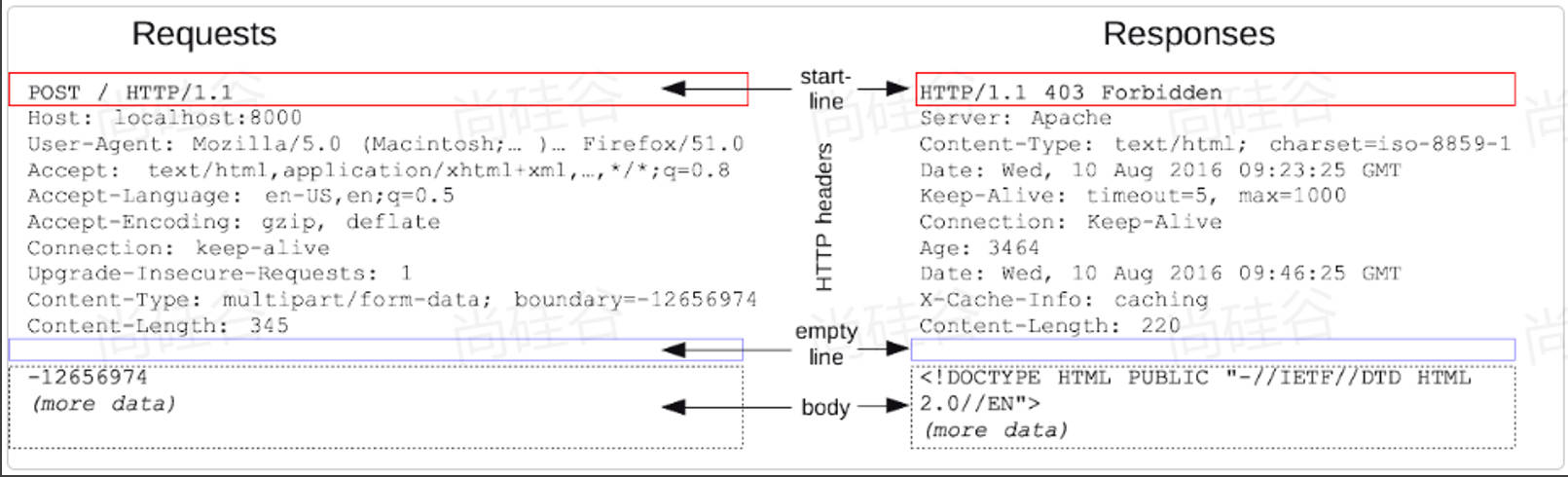
图片来源:https://developer.mozilla.org/zh-CN/docs/Web/HTTP/Messages
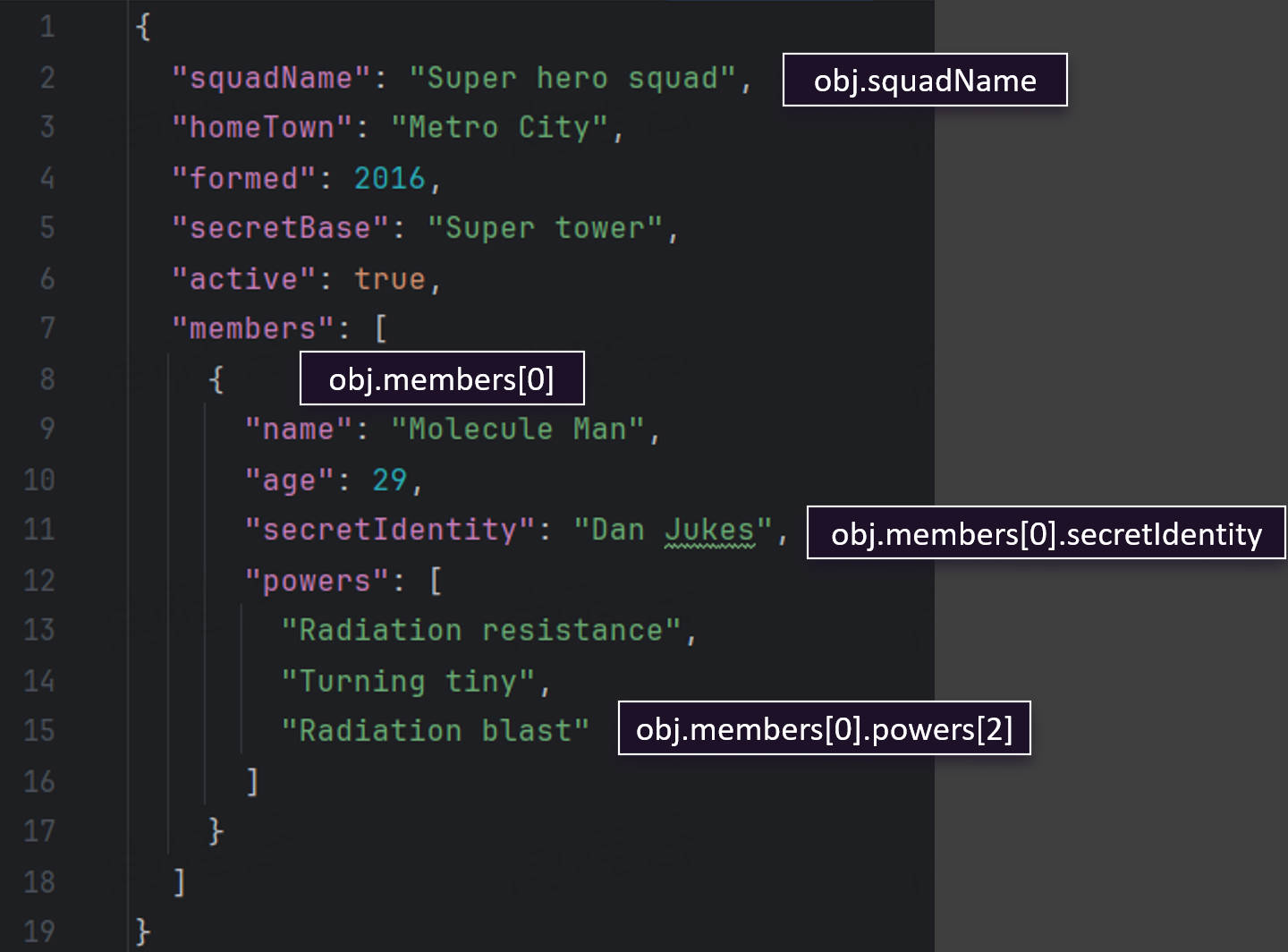
JSON 数据格式
提示
1.JavaScript Object Notation(JavaScript 对象表示法)
2.JSON用于将结构化数据表示为JavaScript 对象的标准格式,通常用于在网站上表示和传输数据
3.JSON 可以作为一个对象或者字符串存在
前者用于
解读JSON 中的数据,后者用于通过网络传输 JSON 数据。JavaScript 提供一个
全局的可访问的JSON 对象来对这两种数据进行转换。
4.JSON 是一种纯数据格式,它只包含属性,没有方法。

参数处理
请求处理
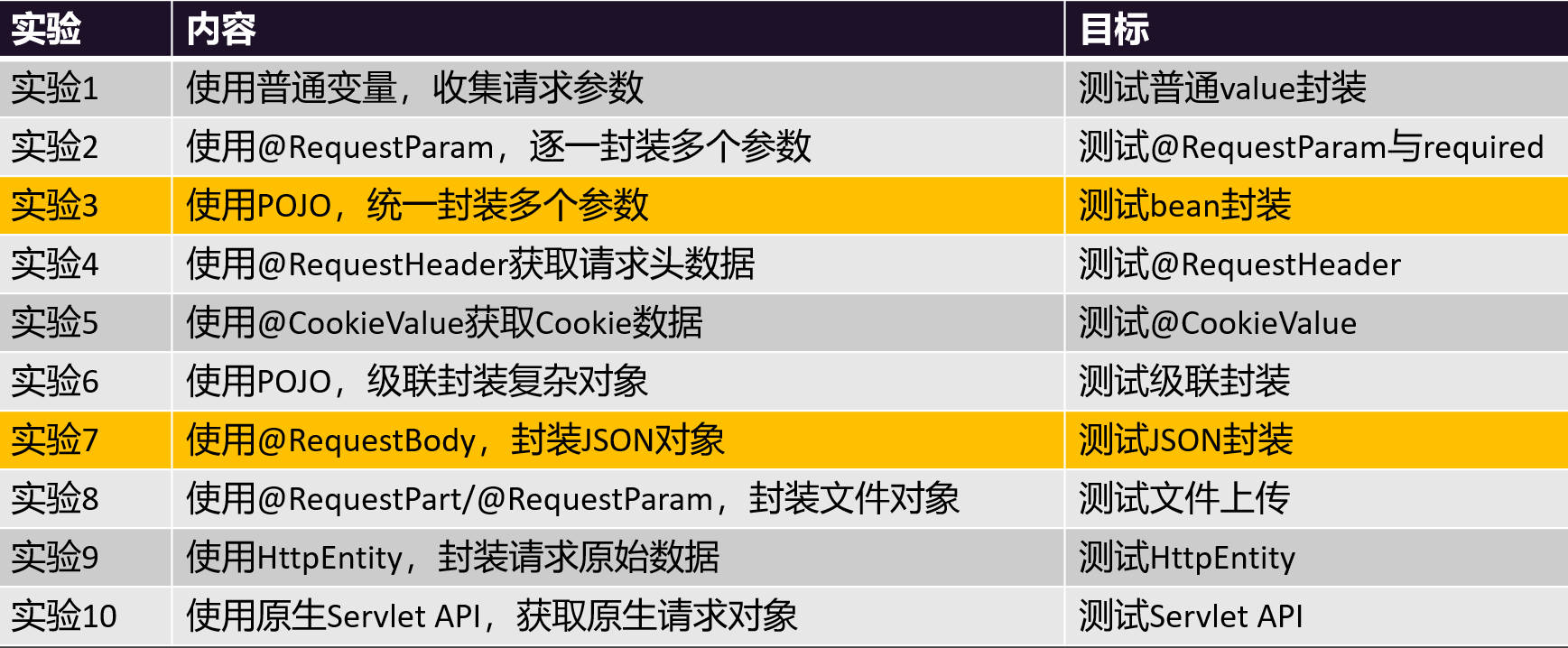
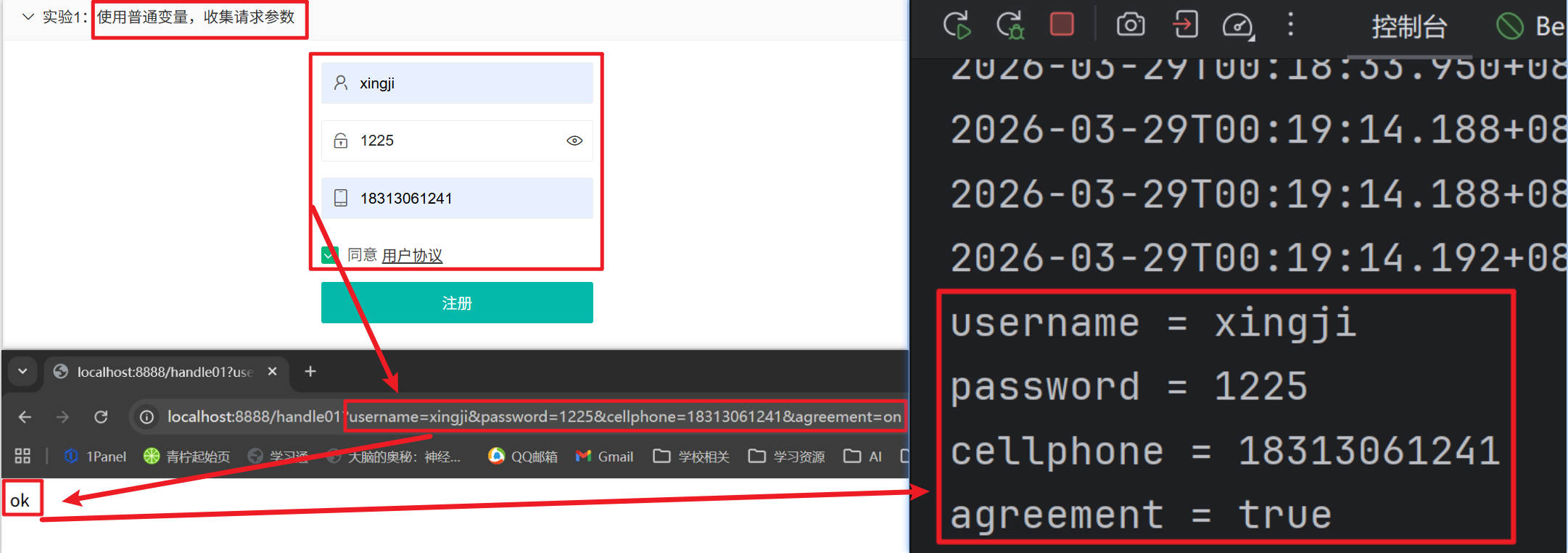
实验1: 使用普通变量,收集请求参数
/**
     * 请求参数:username=xingji&password=1225&cellphone=18313061241&agreement=on
     * 要求:变量名和参数名保持一致
     * 1、没有携带:包装类型自动封装为null,基本类型封装为默认值
     * 2、携带:自动封装
     * @return
*/
@RequestMapping("/handle01")
public String handle01(String username,
                       String password,
                       String cellphone,
                       boolean agreement) {
        System.out.println("username = " + username);
        System.out.println("password = " + password);
        System.out.println("cellphone = " + cellphone);
        System.out.println("agreement = " + agreement);
        return "ok";
}
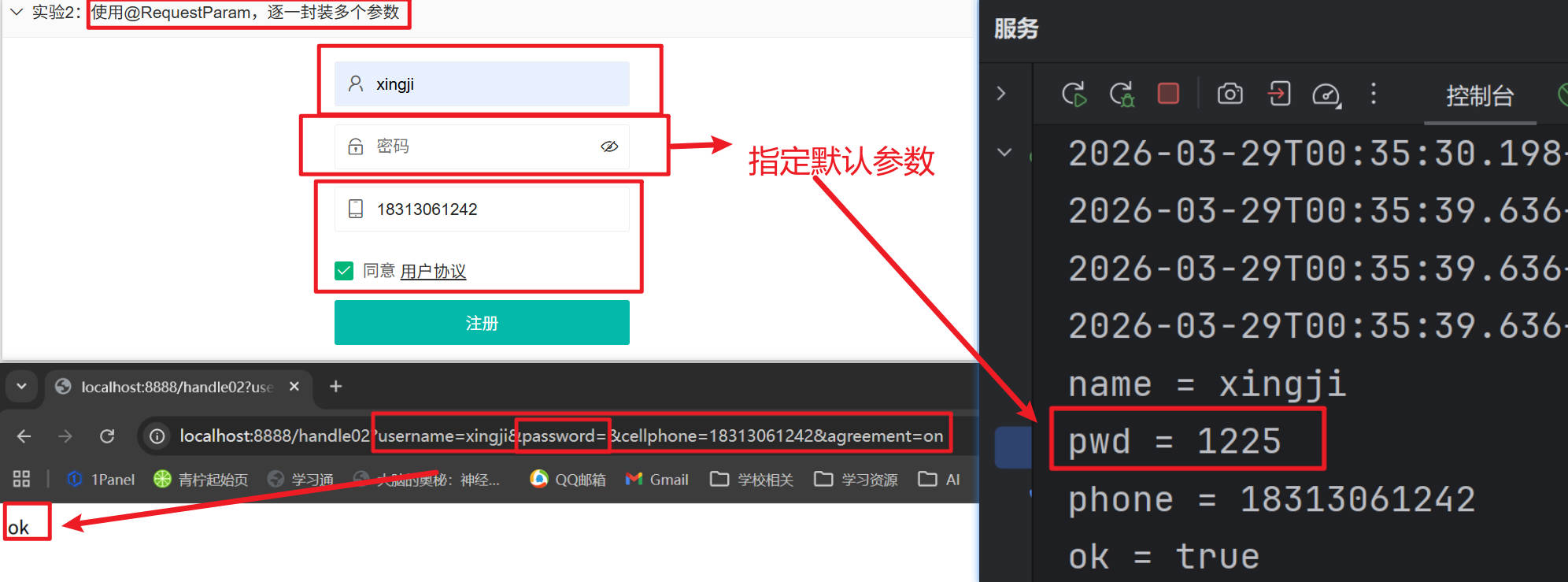
实验2: @RequestParam - 明确指定获取哪个参数值
/**
     * username=xingji&password=&cellphone=18313061242&agreement=on
     * @RequestParam: 取出某个参数的值,默认一定要携带。
     *      required = false:非必须携带;
     *      defaultValue = "123456":默认值,参数可以不带。
     *
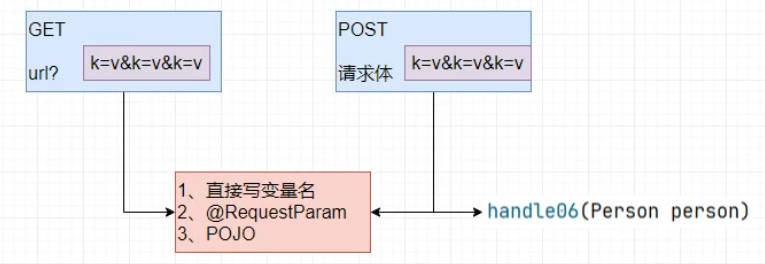
     * 无论请求参数带到了 请求体中还是 url? 后面,他们都是请求参数。都可以直接用@RequestParam或者同一个变量名获取到
     * @param name
     * @param pwd
     * @param phone
     * @param ok
     * @return
*/
@RequestMapping("/handle02")
public String handle02(@RequestParam("username") String name,
                       @RequestParam(value = "password", defaultValue = "1225") String pwd,
                       @RequestParam(value = "cellphone") String phone,
                       @RequestParam(value = "agreement", required = false) boolean ok) {
        	System.out.println("name = " + name);
        	System.out.println("pwd = " + pwd);
        	System.out.println("phone = " + phone);
        	System.out.println("ok = " + ok);
        	return "ok";
    }
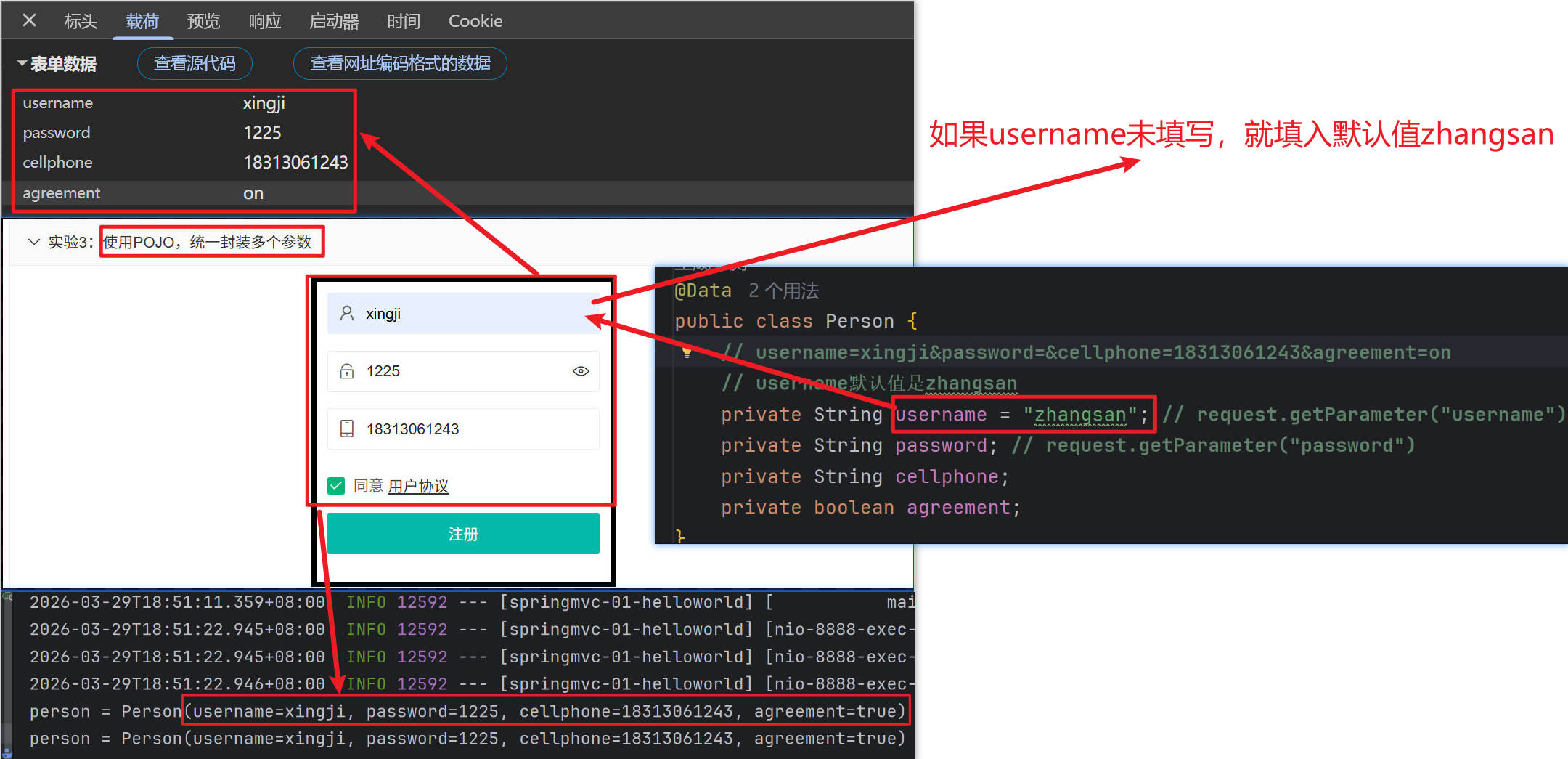
实验3: 使用POJO,统一封装多个参数
package fun.xingji.springmvc.bean;


import lombok.Data;

@Data
public class Person {
    // username=xingji&password=&cellphone=18313061243&agreement=on
    // username默认值是zhangsan
    private String username = "zhangsan"; // request.getParameter("username")
    private String password; // request.getParameter("password")
    private String cellphone;
    private boolean agreement;
}
/**
* 如果目标方法参数是一个 pojo;SpringMVC 会自动把请求参数 和 pojo 属性进行匹配;
* 效果:
* 1、pojo的所有属性值都是来自于请求参数
* 2、如果请求参数没带,封装为null;
* @param person
* @return
*/
// 请求体: username=xingji&password=&cellphone=18313061242&agreement=on
@RequestMapping("/handle03")
public String handle03(Person person) {
System.out.println("person = " + person);
return "ok";
}
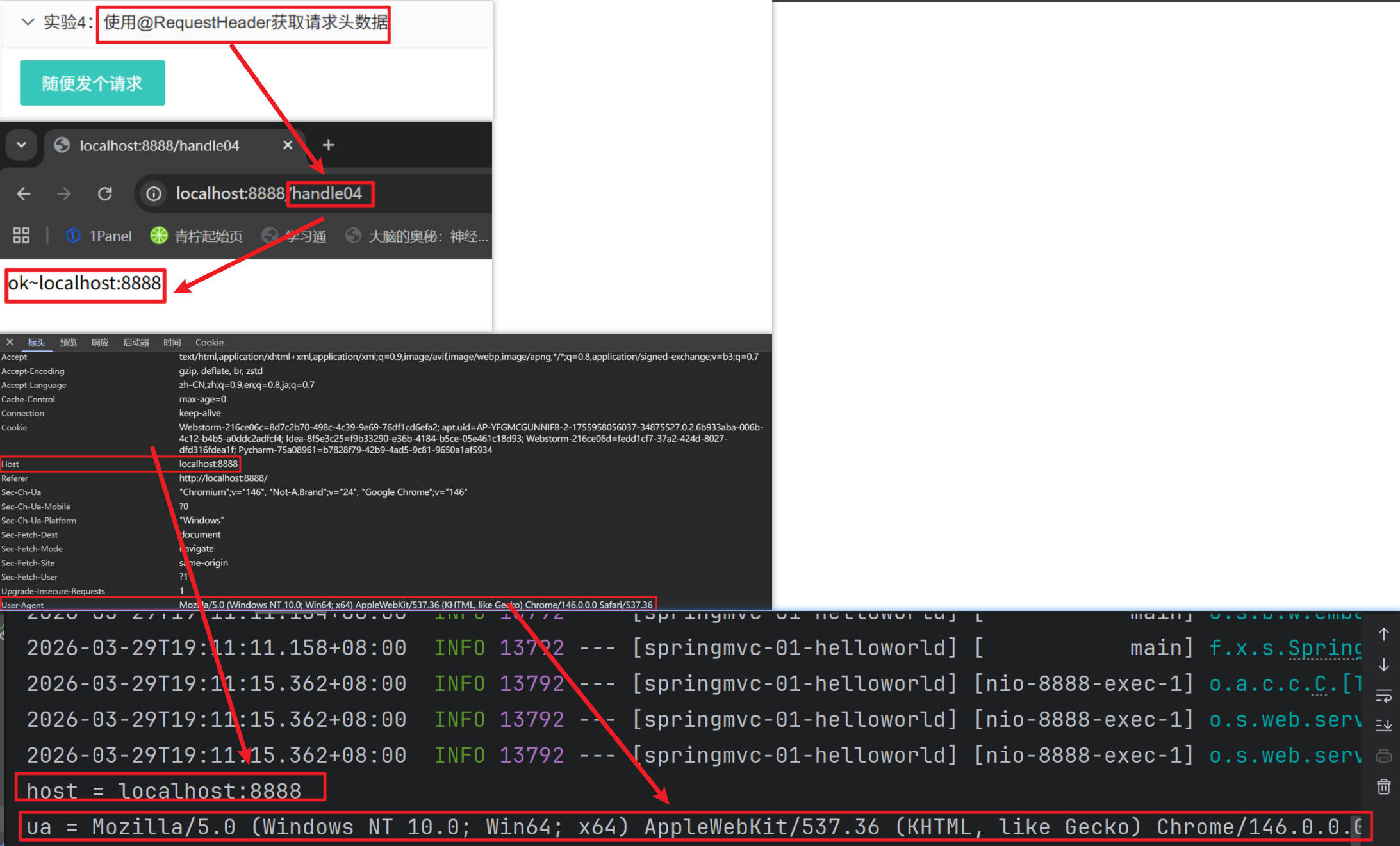
实验4: @RequestHeader - 获取请求头信息
/**
     * @param host
     * @param ua
     * @return
     * @RequestHeader:获取请求头信息
*/
@RequestMapping("/handle04")
public String handle04(@RequestHeader(value = "Host", defaultValue = "127.0.0.1") String host,
                       @RequestHeader("user-agent") String ua) {
        	System.out.println("host = " + host);
        	System.out.println("ua = " + ua);
        	return "ok~" + host;
}
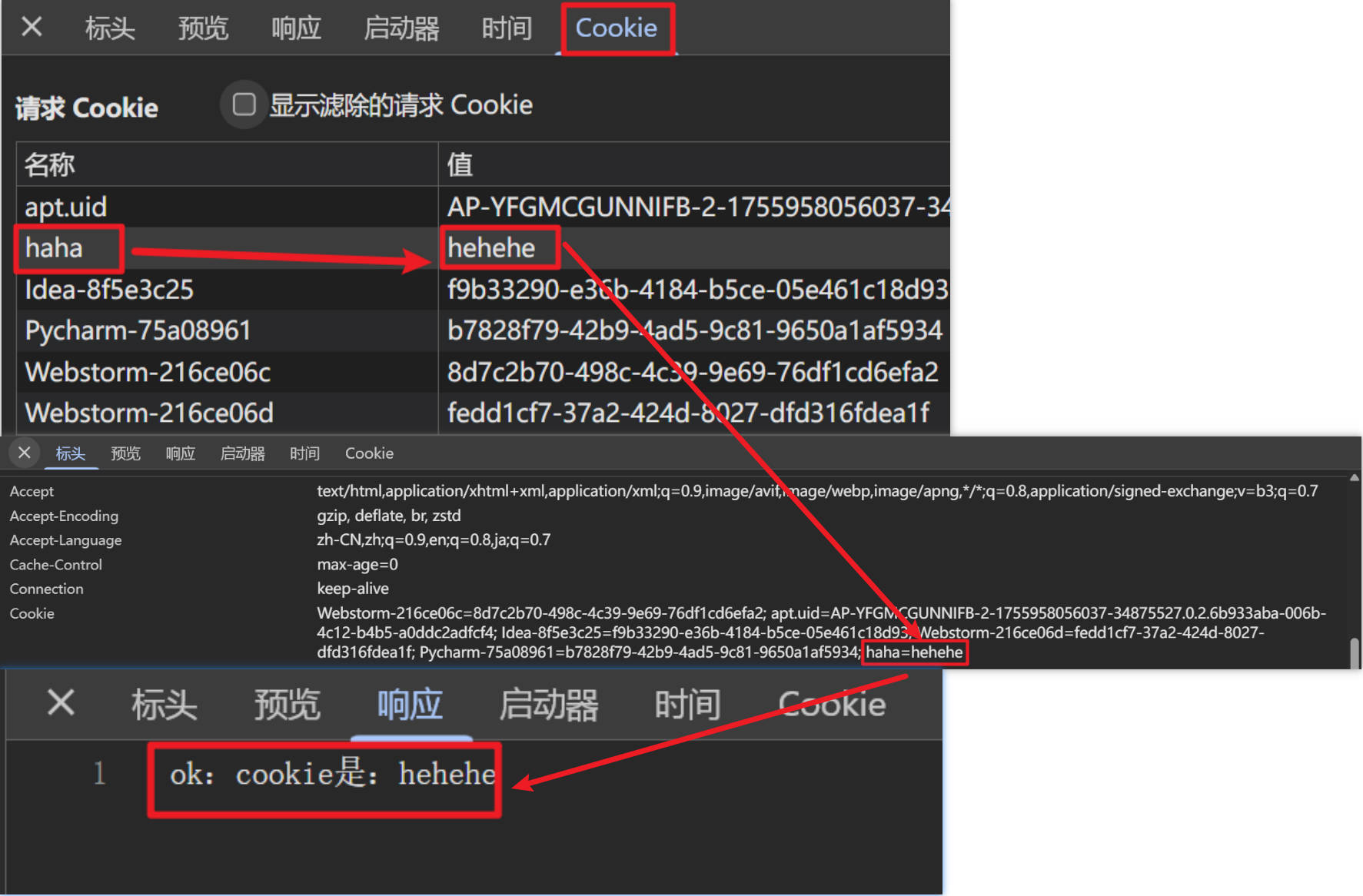
实验5: @CookieValue - 获取cookie值
/**
     * @param haha
     * @return
     * @CookieValue:获取cookie值
*/
@RequestMapping("/handle05")
public String handle05(@CookieValue("haha") String haha) {
       return "ok:cookie是:" + haha;
}
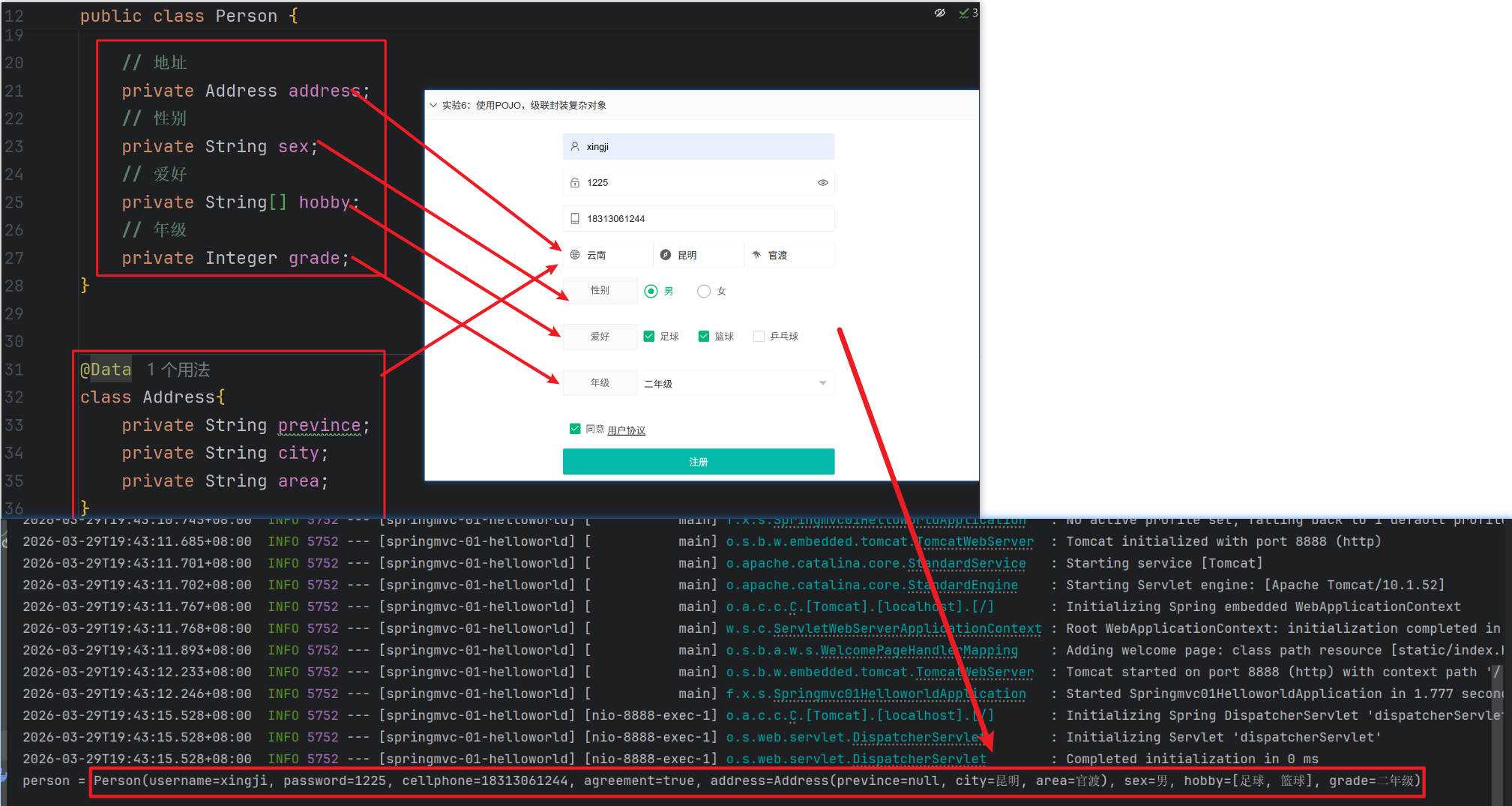
实验6: 使用POJO,级联封装复杂对象
package fun.xingji.springmvc.bean;


import lombok.Data;

/*
username=xingji&password=1225&cellphone=18313061244&agreement=on
&address.province=云南&address.city=昆明&address.area=官渡&
sex=男&hobby=足球&hobby=篮球&grade=二年级
 */
@Data
public class Person {
    // username=xingji&password=&cellphone=18313061243&agreement=on
    // username默认值是zhangsan
    private String username = "zhangsan"; // request.getParameter("username")
    private String password; // request.getParameter("password")
    private String cellphone;
    private boolean agreement;

    // 地址
    private Address address;
    // 性别
    private String sex;
    // 爱好
    private String[] hobby;
    // 年级
    private String grade;
}


@Data
class Address{
    private String prevince;
    private String city;
    private String area;
}
/**
* 使用pojo级联封装复杂属性
* @param person
* @return
*/
@RequestMapping("/handle06")
public String handle06(Person person) {
System.out.println("person = " + person);
return "ok";
}
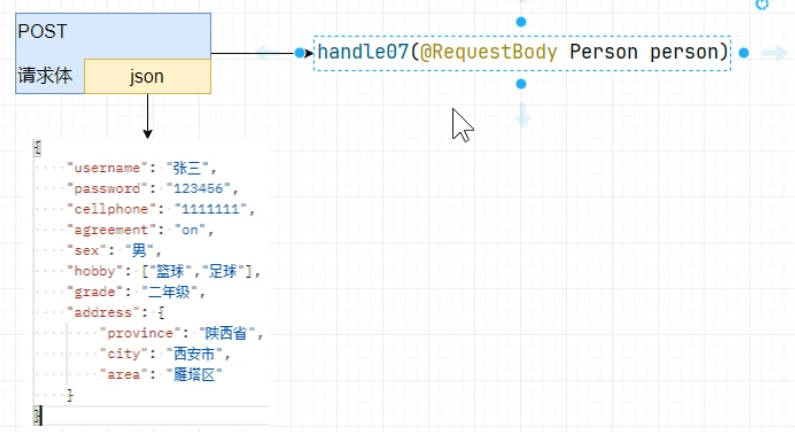
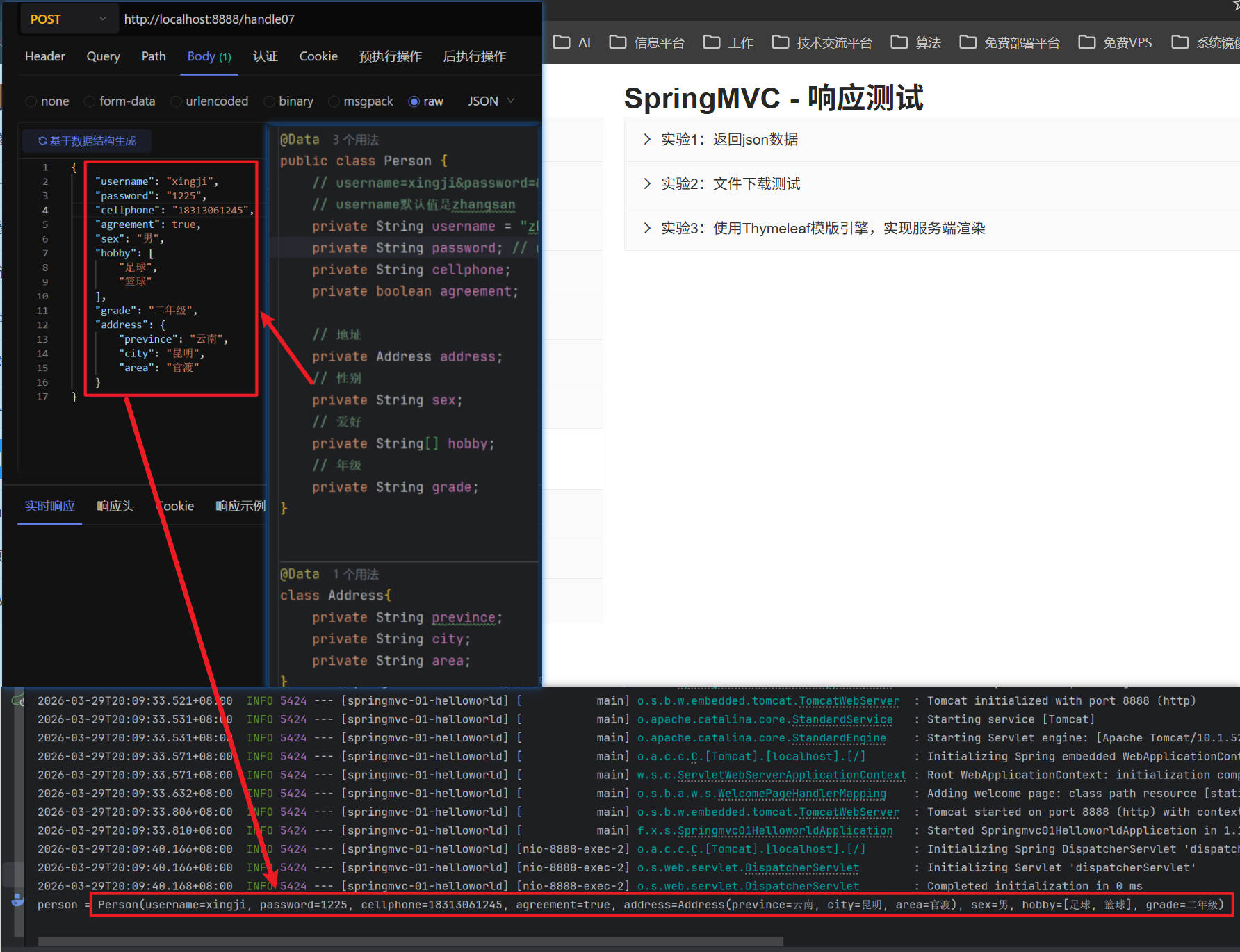
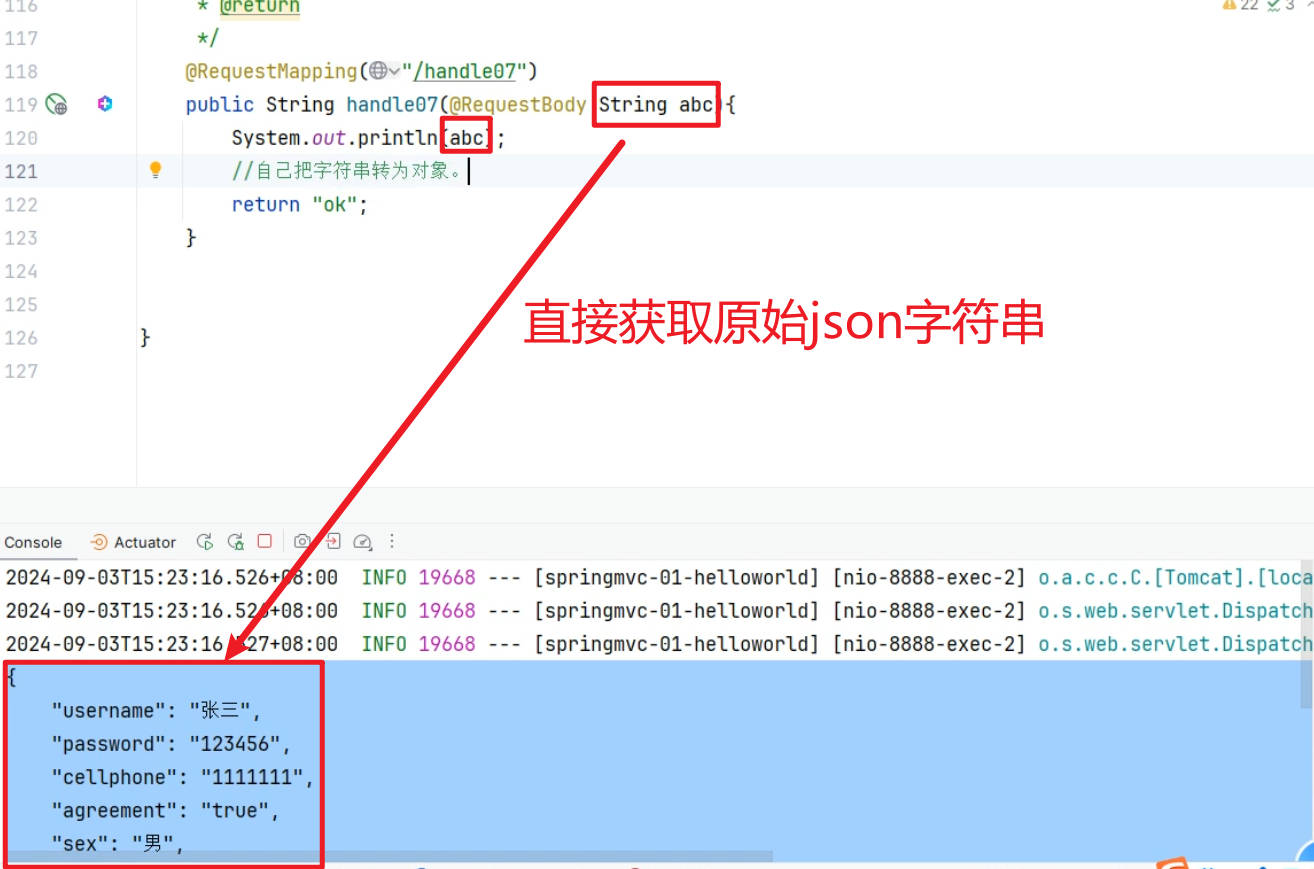
实验7: 使用@RequestBody,封装JSON对象
/**
     * @RequestBody: 获取请求体json数据,自动转为person对象
     * 测试接受json数据
     * 1、发出:请求体中是json字符串,不是k=v
     * 2、接受:@RequestBody Person person
     *
     * @RequestBody Person person
     *      1、拿到请求体中的json字符串
     *      2、把json字符串转为person对象
     * @param person
     * @return
*/
@RequestMapping("/handle07")
public String handle07(@RequestBody Person person) {
       System.out.println("person = " + person);
       //自己把字符串转为对象
       return "ok";
}
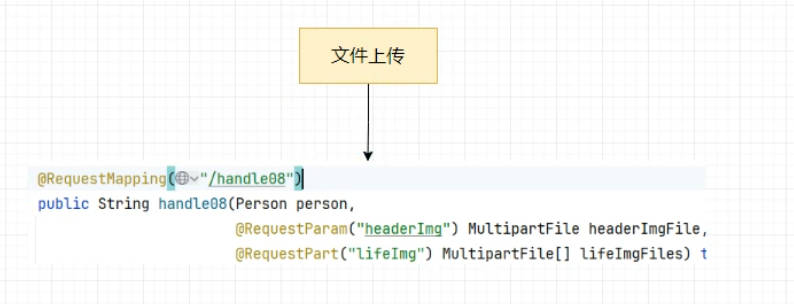
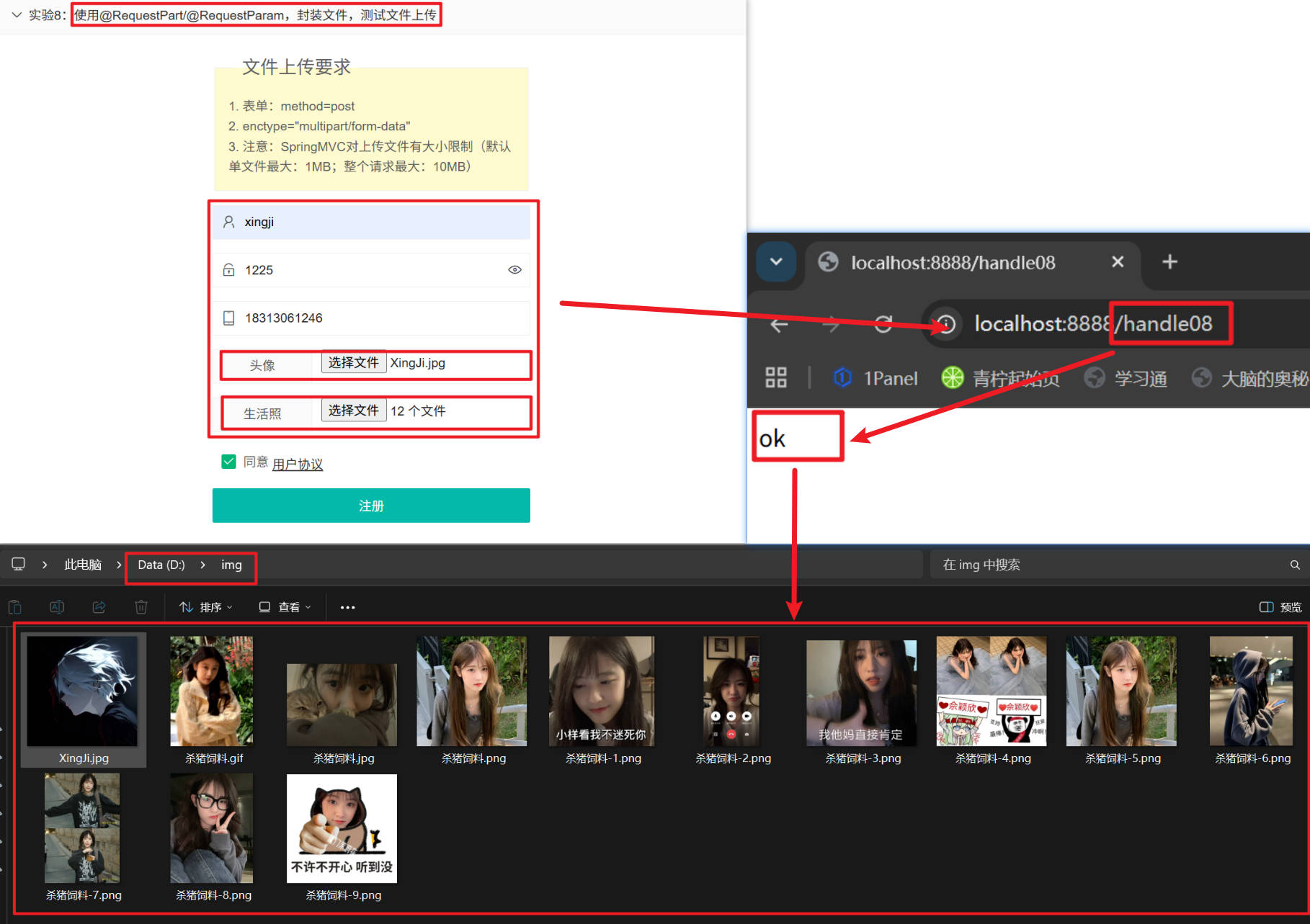
实验8: 使用@RequestPart/@RequestParam,封装文件,测试文件上传
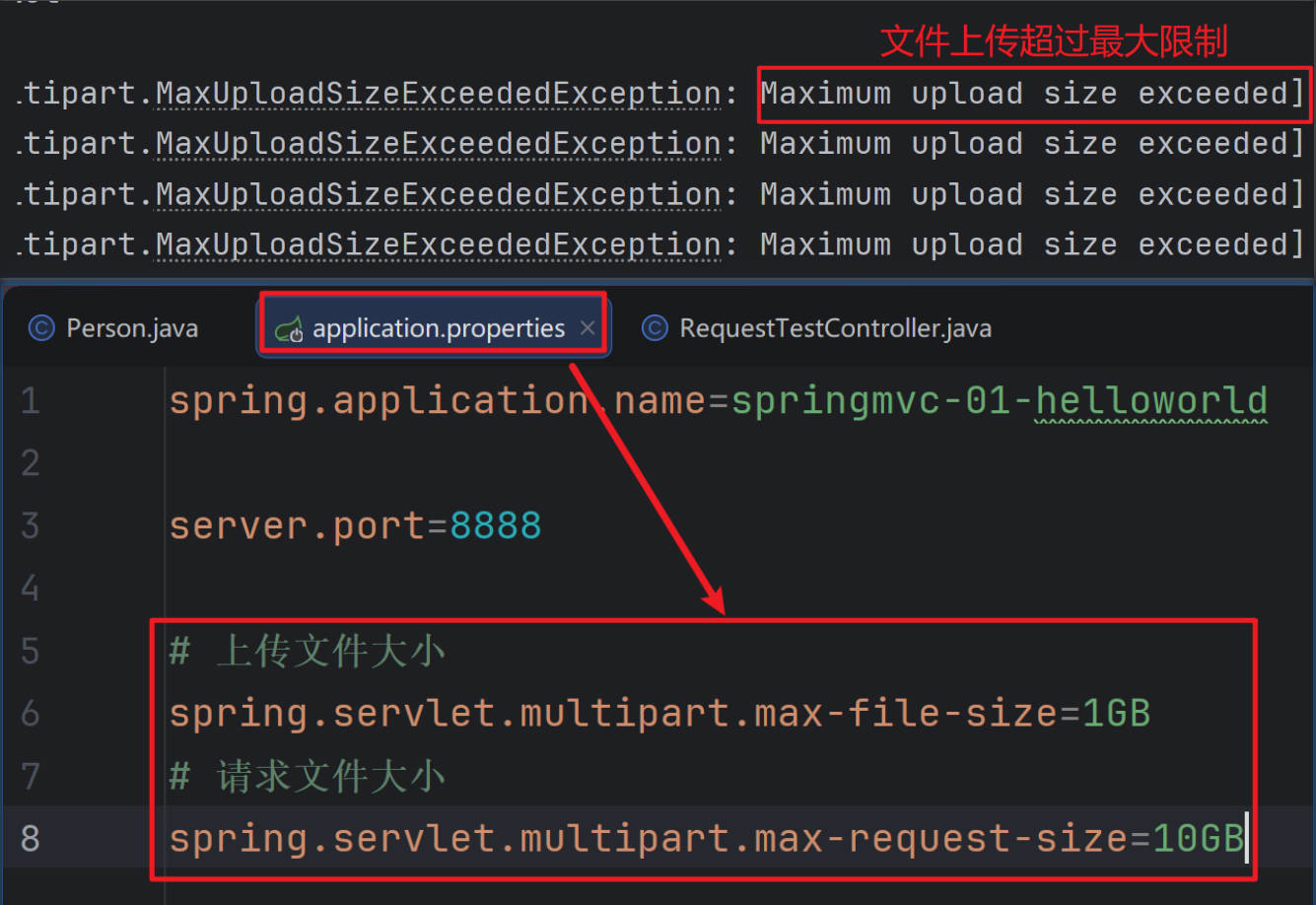
/**
     * 文件上传;
     * 1、@RequestParam 取出文件项,封装为MultipartFile,就可以拿到文件内容
     * @param person
     * @return
*/
@RequestMapping("/handle08")
public String handle08(Person person,
                       @RequestParam("headerImg") MultipartFile headerImgFile,
                       @RequestPart("lifeImg") MultipartFile[] lifeImgFiles) throws IOException {
        // 1.获取原始文件名
        String originalFilename = headerImgFile.getOriginalFilename();

        // 2.文件大小
        long size = headerImgFile.getSize();

        // 3.获取文件流
        InputStream inputStream = headerImgFile.getInputStream();
        System.out.println(originalFilename + "======>" + size);

        // 4.保存文件
        headerImgFile.transferTo(new File("D:\\img\\" + originalFilename));

        System.out.println("===============以上处理头像=================");


        System.out.println("===============以下处理生活照=================");

        // 处理生活照上传(多文件)
        // 判断上传的文件数组是否不为空
        if (lifeImgFiles != null && lifeImgFiles.length > 0) {
            // 遍历每一个上传的文件
            for (MultipartFile lifeImgFile : lifeImgFiles) {
                // 获取文件的原始文件名
                originalFilename = lifeImgFile.getOriginalFilename();
                // 将文件保存到本地 D:\img\ 目录下
                lifeImgFile.transferTo(new File("D:\\img\\" + originalFilename));
            }
            System.out.println("=======生活照保存结束==========");
        }

        System.out.println("person = " + person);
        return "ok";
}
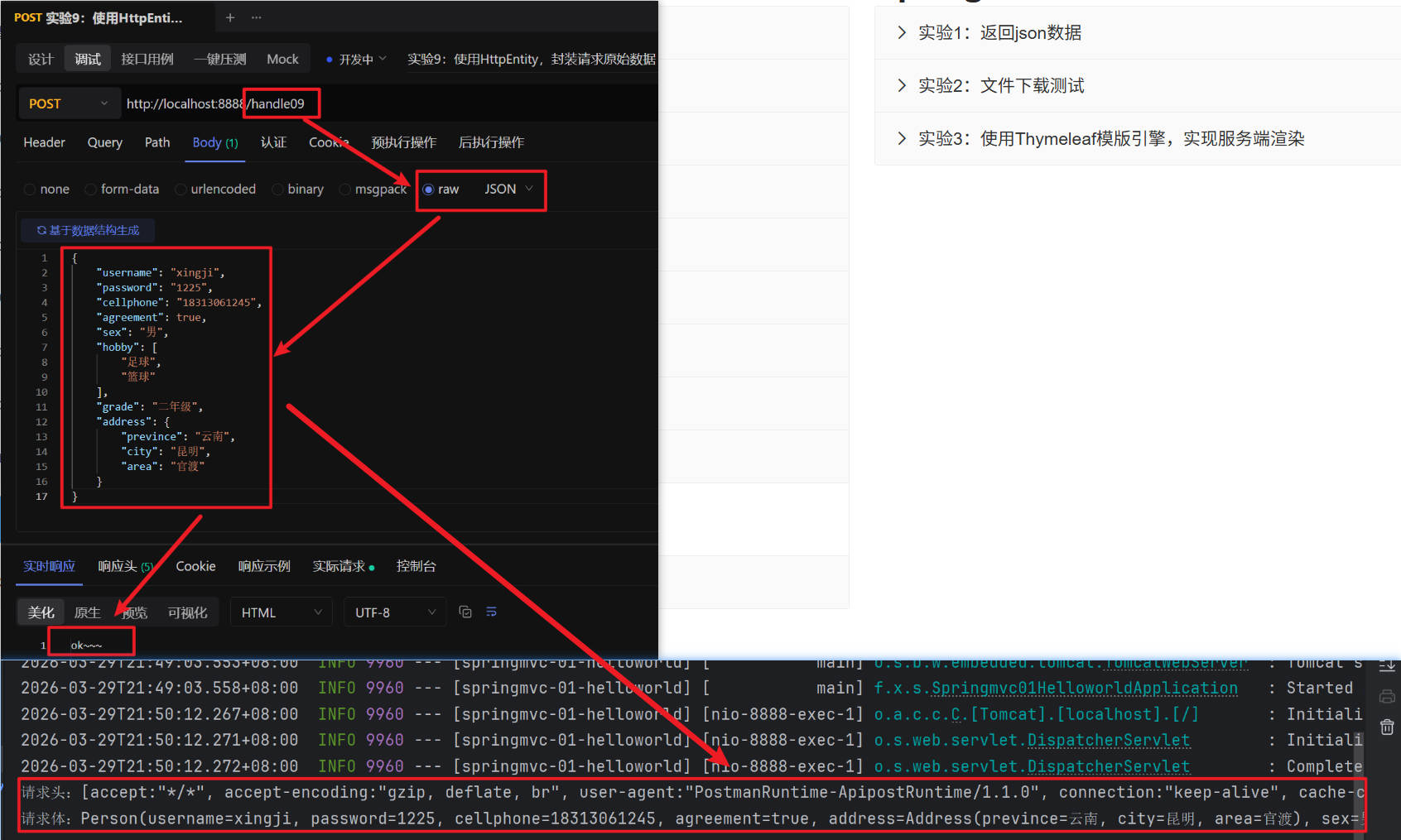
实验9: 使用HttpEntity,封装请求原始数据
/**
     * HttpEntity:封装请求头、请求体; 把整个请求拿过来
     *    泛型:<String>:请求体类型; 可以自动转化
     * @return
*/
@RequestMapping("/handle09")
public String handle09(HttpEntity<Person> entity){
       //1、拿到所有请求头
       HttpHeaders headers = entity.getHeaders();
       System.out.println("请求头:"+headers);

       // 2、拿到请求体
       Person body = entity.getBody();
       System.out.println("请求体:"+body);

       return "ok~~~";
}
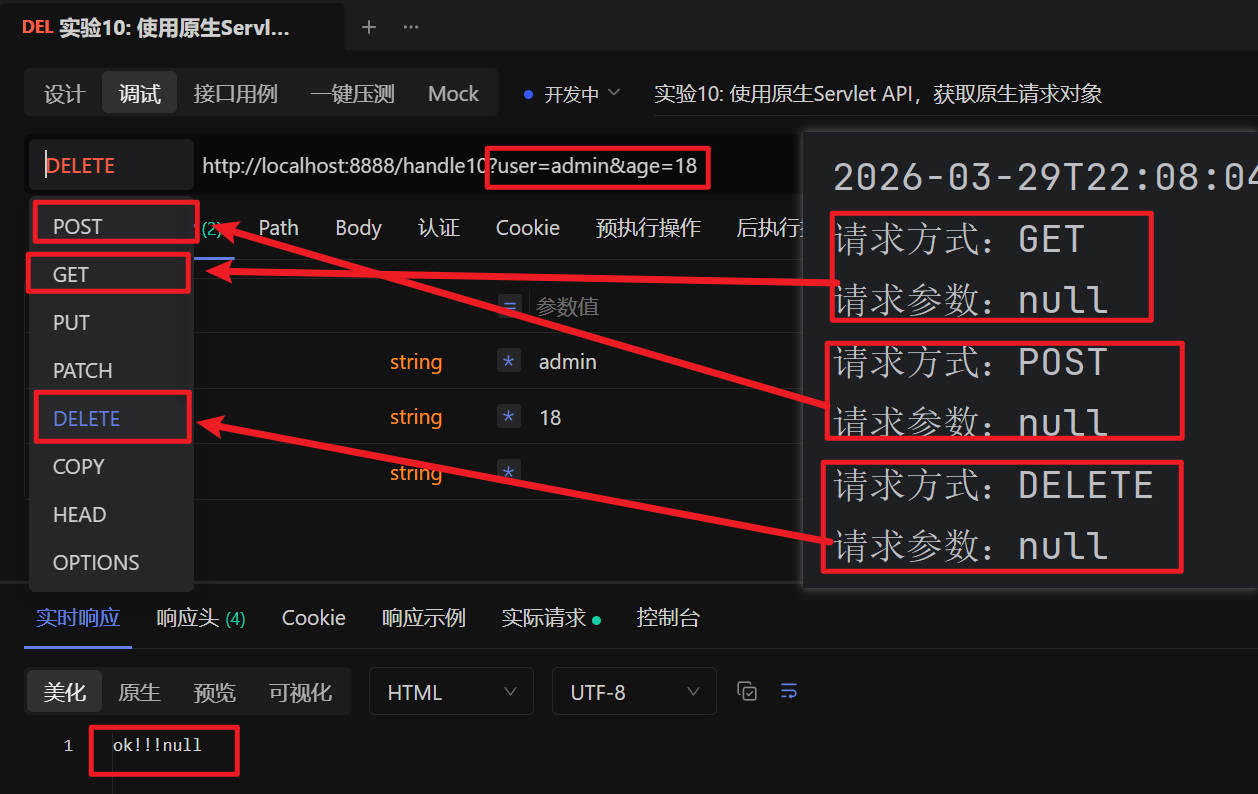
实验10: 使用原生Servlet API,获取原生请求对象
/**
     * 接受原生 API
     * @param request
     * @param response
*/
@RequestMapping("/handle10")
public void handle10(HttpServletRequest  request,
                     HttpServletResponse response,
                     HttpMethod method) throws IOException {
        // 获取请求方式
        System.out.println("请求方式:"+method);
        // 获取请求参数
        String username = request.getParameter("username");
        System.out.println("请求参数:"+username);
        // 设置响应体
        response.getWriter().write("ok!!!"+username);
}
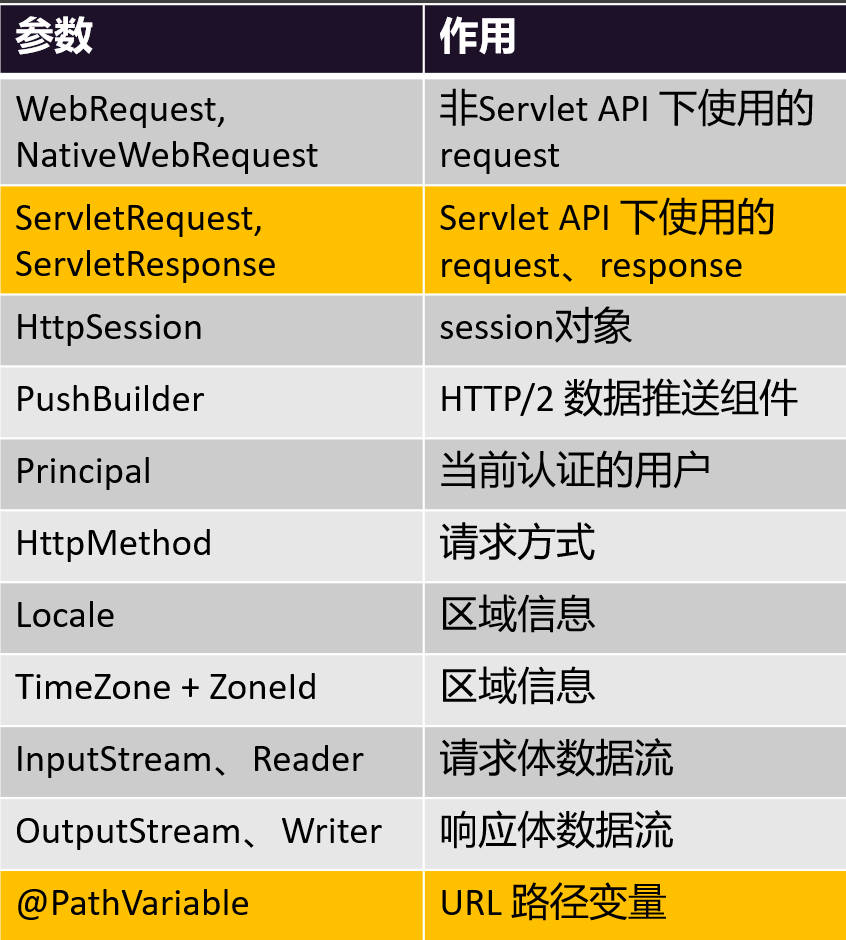
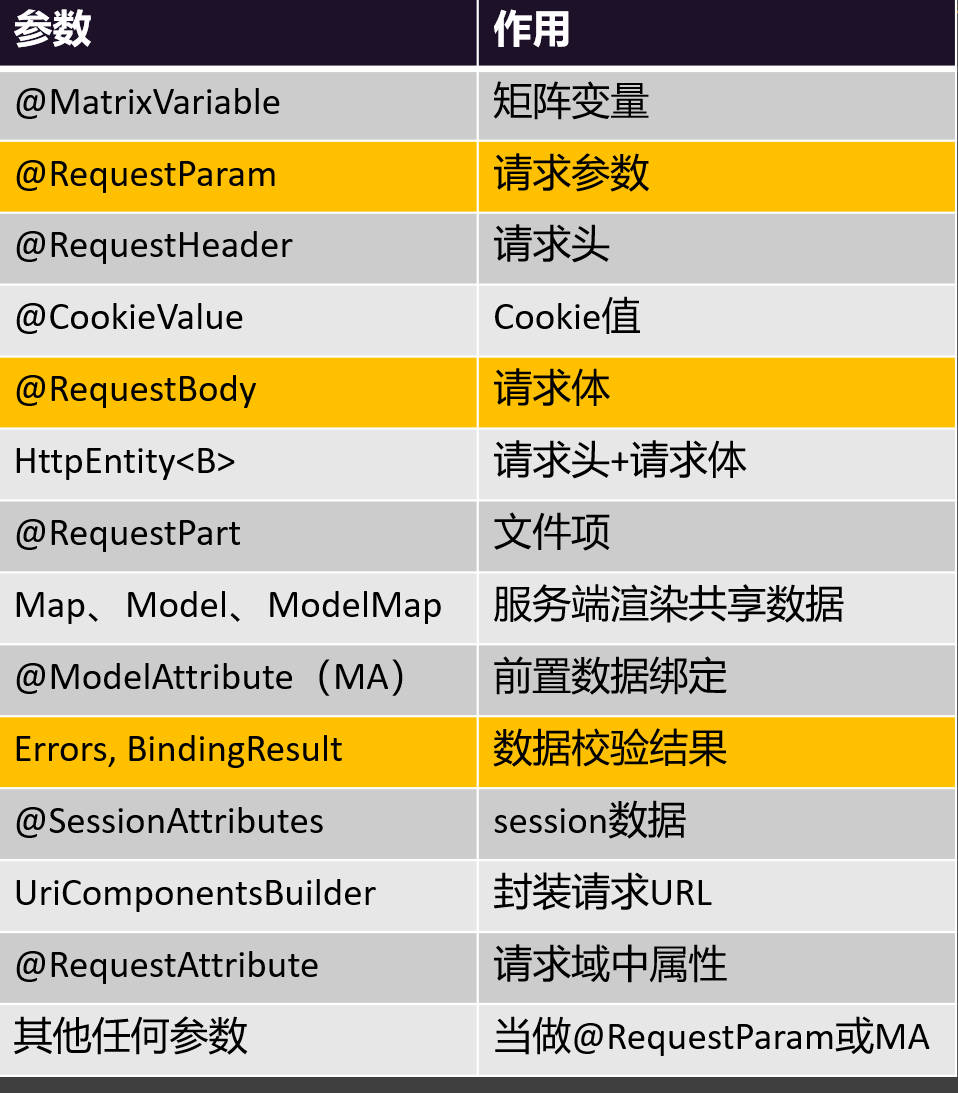
请求参数类型
贡献者

更新日志
0f841-于